Techno
Inc.
Phone: 516-328-3970 · Web: www.technocnc.com
5
HTT02740704
Scale Factor Interface Setup
Continue to next page …
IF THE VALUES ARE NOT WRITTEN ON THE FRONT LEG OF
YOUR TECHNO CNC ROUTER THEN THE INTERFACE DEFAULT
VALUES SHOULD APPLY.
III. SCALE FACTOR SETUP:
STEP 1: Start Techno CNC Interface.
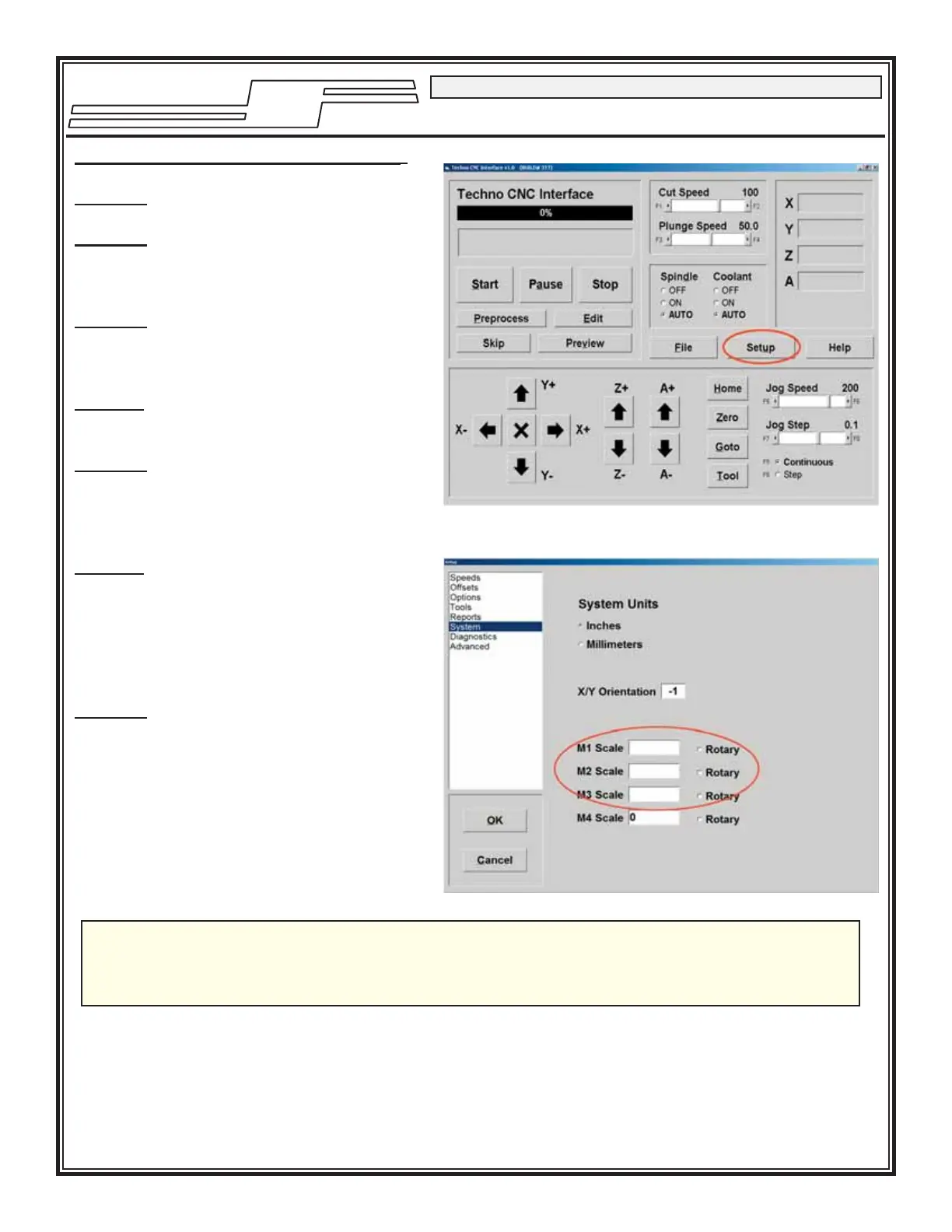
STEP 2: From the Main Menu click on
the Setup button. See SCREEN
CAPTURE 1.
STEP 3: Click on System in the Setup
screen’s menu list. See SCREEN
CAPTURE 2.
NOTE¹: The Setup/System screen will
appear.
STEP 4: Input the numbers printed
on the Scale Factor Sticker
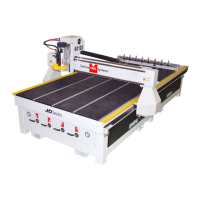
located on the front leg of the
machine.
NOTE²: See the circled section in
SCREEN CAPTURE 2. Make sure
to type the numbers exactly
how they appear on the sticker
including any negative values
(i.e. -20320).
STEP 5: Click the OK button in the
Setup/System screen to save
the changes made.
SCREEN CAPTURE 1
SCREEN CAPTURE 2



 To Next Page