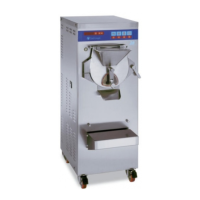
Control panel functions
(A) (B) (C)
A) Control sector slow speed mixing (the machine neither heats nor cools):
ON - starts the motor mixer OFF - stops it
The push button buttons operate only when the STOP CYCLE push button has the (led) light on.
B) Start and stop sector heating cycle set:
START CYCLE - starts heating cycle
STOP CYCLE - stops heating cycle
C) Set heating cycle sector:
85°C (185°F) - high heating cycle - the mixture is heated to +85°C, remains at
85°C for 5 seconds, it is cooled to +4°C (39.2°F), and is kept at 4°C.
65°C (149°F) - low heating cycle - the mixture is heated to +65°C, remains at 65°C
for 30 minutes, it is cooled to +4°C (39.2°F), and is kept at 4°C.
CUSTOM heating cycle at discretion - by pressing this several times the heating
temperature that you wish to have will appear on the display of the sector (F)
(see page 10). The choice can be made from +66°C (150.8°F) to +90°C (194°F)
(ideal for chocolate).
If for example 75 is set, the mixture will be heated to +75°C (167°F), it will remain at
75°C for an adequate time so as to complete heating (the time is calculated
automatically by the (electronic microprocessor) it will be cooled to +4°C and will
be kept at 4°C.
Important Notice: In each heating/cooling cycle, the machine’s software ensures the mix
stays at least 30 minute. at a temperature of over 65°C


 To Next Page