10
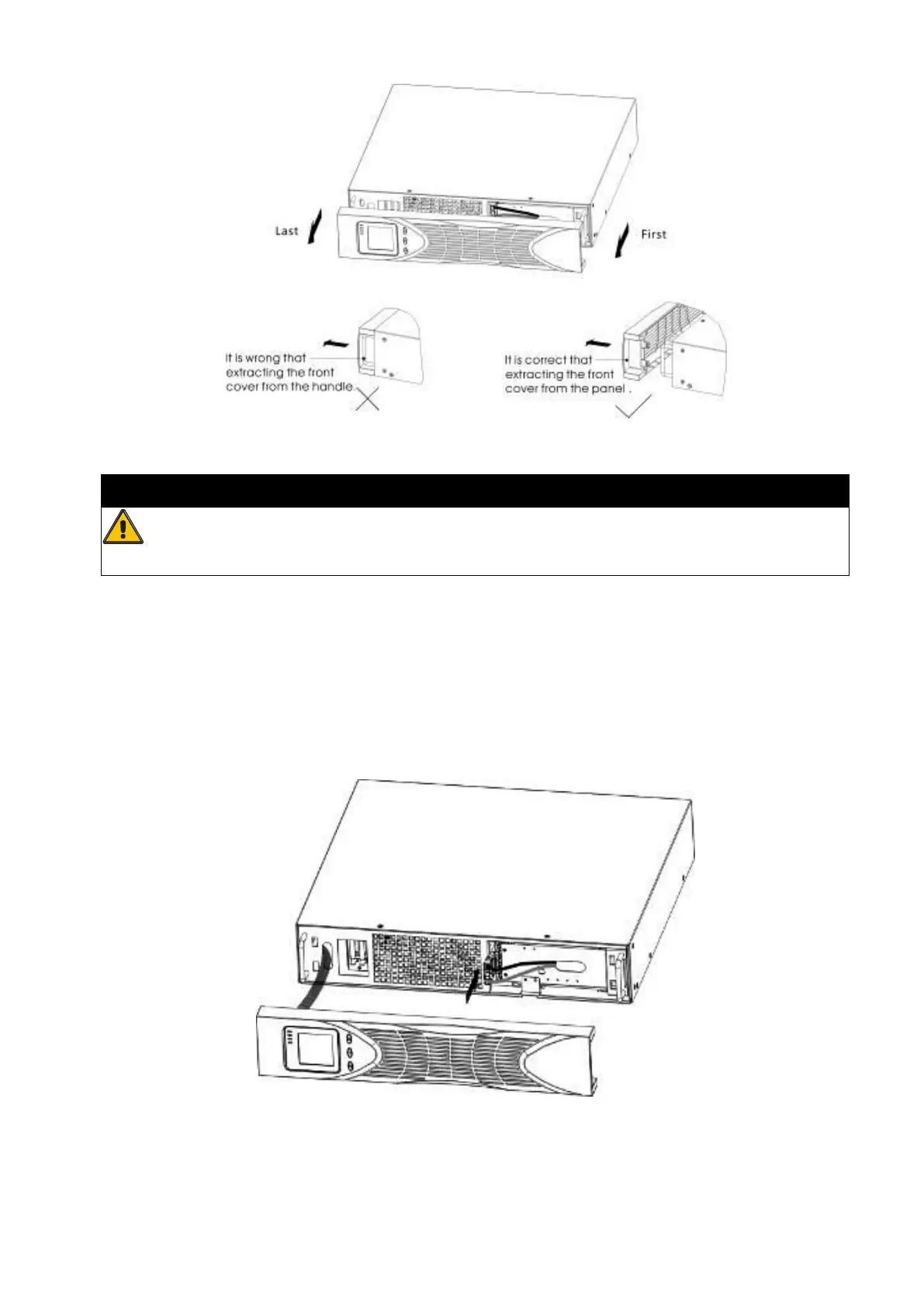
Figure 5 Extract UPS front cover
CAUTION
A small amount of arcing may occur when connecting the internal batteries.
This is normal and will not harm personnel. Connect the cables quickly and firmly
b) Connect the internal battery connector (see Figure6)
Connect red to red, Press the connector tightly together to ensure a proper
connection.
c) If you are installing EBPS, see the following section, “Connecting the EBP(s),”
before continuing with the UPS installation.
Figure 6 Connecting the UPS Internal Batteries
d) Replace the UPS front cover.
To replace the cover, verify that the ribbon cable is protected and (if EBPS are installed)



 To Next Page