WS9132 Manual
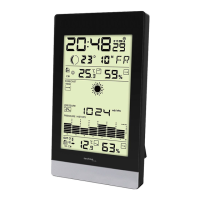
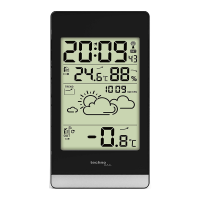
Part A – Weather station
A1: Time
A2: Indoor temperature and humidity
A3: Ice alert icon
A4: Radio Controlled Icon
A5: DST icon
A6: Weather forecast pattern
A7: Outdoor temperature
A8: Operation buttons
A9: Stand cover
A10: Battery door
Part B – Remote sensor
B1: Transmit indicate LED
B2: Battery door
B3: Channel switch
B4: Reset button
Initial operation:
Open the Weather Station battery compartment cover
Insert 2 x AAA batteries observing polarity [ “+” and “ –“ marks]
When you insert the batteries, all icons on the LCD display will light
up for 3 seconds, you will hear a beep tone and the station detects
indoor temperature & humidity.
The Weather Station will now start to make a connection to the
outdoor remote sensor. This operation takes about 3 minutes and
is displayed by a flashing reception RF antenna symbol in the
“OUTDOOR” display area on the receiver.
Open Wireless Outdoor Sensor battery compartment cover, Insert 2
x AA batteries observing polarity [ “+” and “–“ marks].












 To Next Page