1166 UHF Reader User Guide V1.07Copyright © 2019 Technology Solutions (UK) Ltd
18
BLUETOOTH
®
WIRELESS TECHNOLOGY CONNECTION
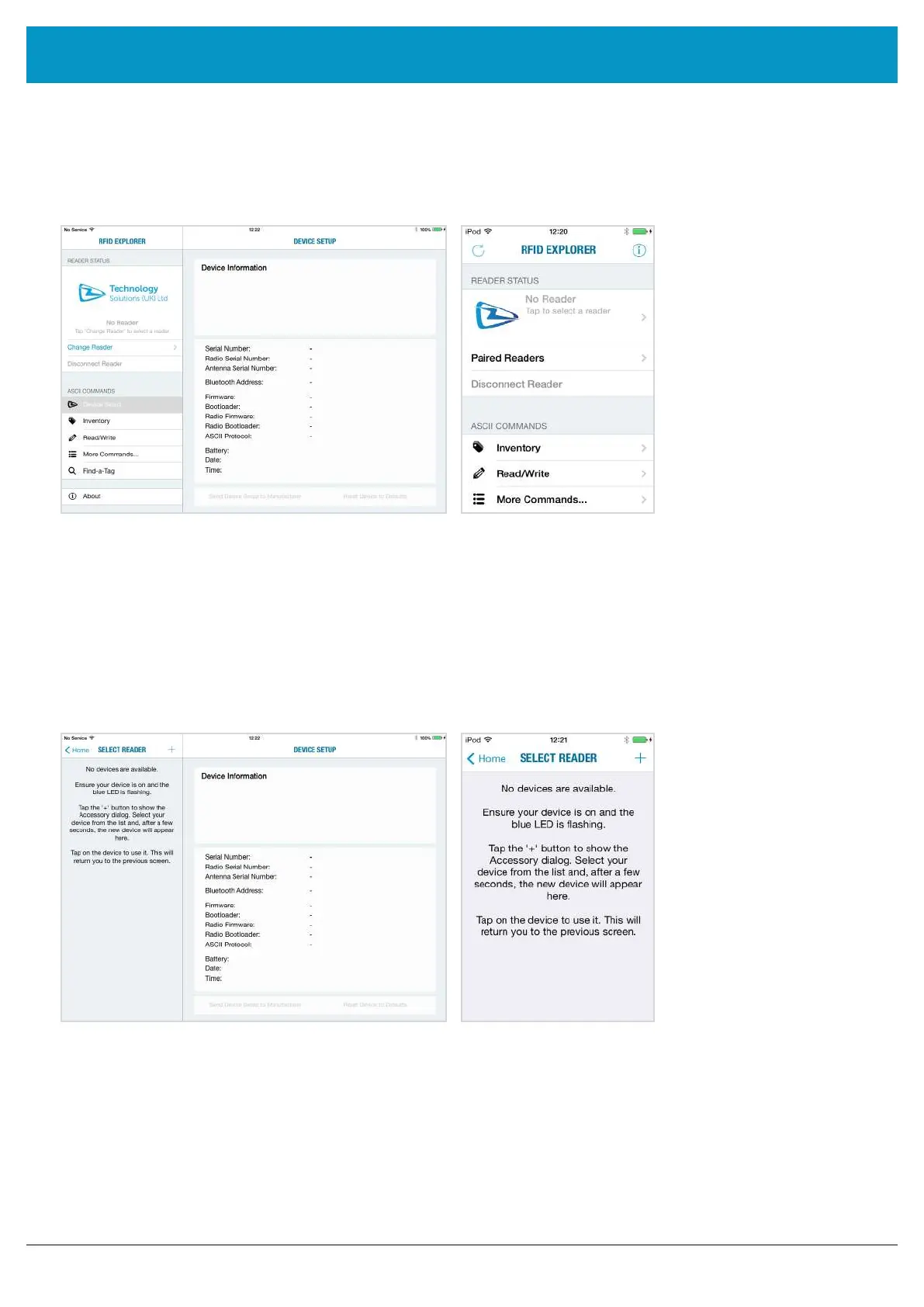
If the app is starting up for the first time, no reader will be selected. To select a reader, tap on ‘Change Reader’ in
the menu to the left (iPad
®
) or ‘Paired Readers’ (iPod
®
/iPhone
®
).
iPod
®
/ iPhone
®
iPad
®
Figure 15: TSL RFID Explorer App on first load - no reader selected
If you have a reader selected from your device’s
Bluetooth
®
settings as previously shown, continue from Figure 28.
If the ‘No devices are available’ message in Figure 25 appears, you can also connect to a device through the RFID
Explorer app. Press the + sign presented in the top right corner of the Select Reader section/screen.
iPod
®
/ iPhone
®
iPad
®
Figure 16: No devices are available
www.tsl.com



 To Next Page