IZI Technology Inc, 3651 Pegasus Dr. Ste. 117 Bakersfield, CA 93308 USA.
Tel: (661) 412-3494 -- email: sales@izitechnology.com
www.izitechnology.com
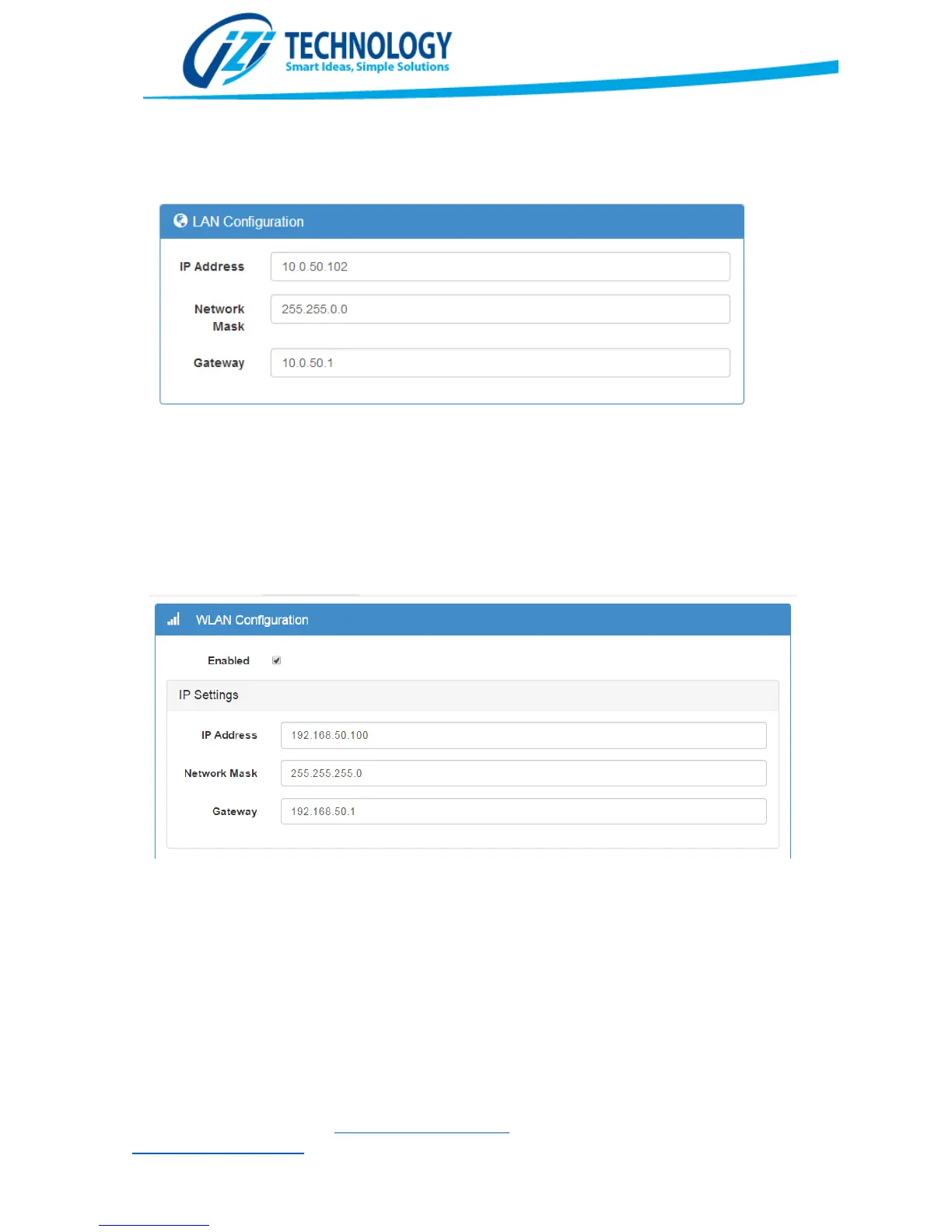
The Gateway setting is required if the SPX5 will be accessing networks outside the wireless
(WLAN) and wired (LAN) sub networks. In that case, the IP of a router connected to the LAN
interface must be specified in the Gateway setting.
LAN Interface Configuration
The Wireless network can be enabled or disabled depending on the user requirements. The user
must specify the IP settings: IP Address, Network Mask and Gateway. It’s very important that the
settings for LAN and WLAN are in different subnets. Although a Gateway setting is present for the
WLAN, this is reserved for the future. At this point in time the network can be rerouted to other
subnets only through the LAN interface.
WLAN IP Settings configuration
DHCP Server Settings:
The WLAN interface supports a DHCP Server, useful to automatically set IP Addresses of mobile
devices attached trough the WLAN Interface. It is important to set the range of IP Addresses on
the same subnet as the WLAN Interface.


 To Next Page