IZI Technology Inc, 3651 Pegasus Dr. Ste. 117 Bakersfield, CA 93308 USA.
Tel: (661) 412-3494 -- email: sales@izitechnology.com
www.izitechnology.com
Setting up the SPX5 for the first time
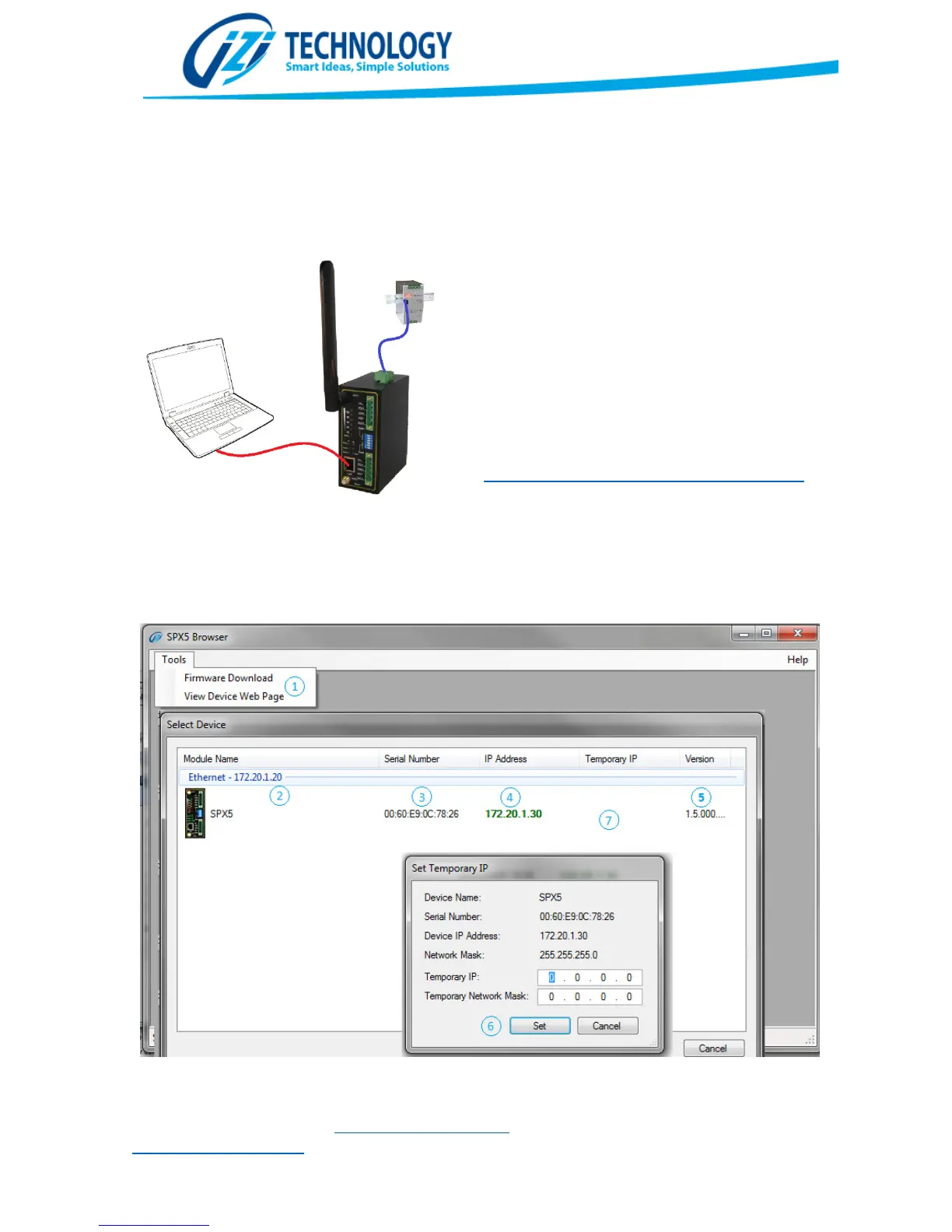
To start working with the SPX5, it must be
powered by a 9V to 48V power supply and the
Ethernet port must be connected to the
configuration personal computer.
From the IZI Technology web site download
and install the SPX5 Browser. This application is
only supported in Microsoft Windows
Operating System.
http://www.izitechnology.com/support/spx5/
When the application is installed and run for
the first time, it will show all connected SPX5 on
the network.
Figure 10. SPX5 Browser windows.


 To Next Page