EasyManua.ls Logo

Technology SPX5 - Ethernet

Technology SPX5
35 pages
Print Icon
To Next Page IconTo Next Page
To Previous Page IconTo Previous Page
Loading...
IZI Technology Inc, 3651 Pegasus Dr. Ste. 117 Bakersfield, CA 93308 USA.
Tel: (661) 412-3494 -- email: sales@izitechnology.com
www.izitechnology.com
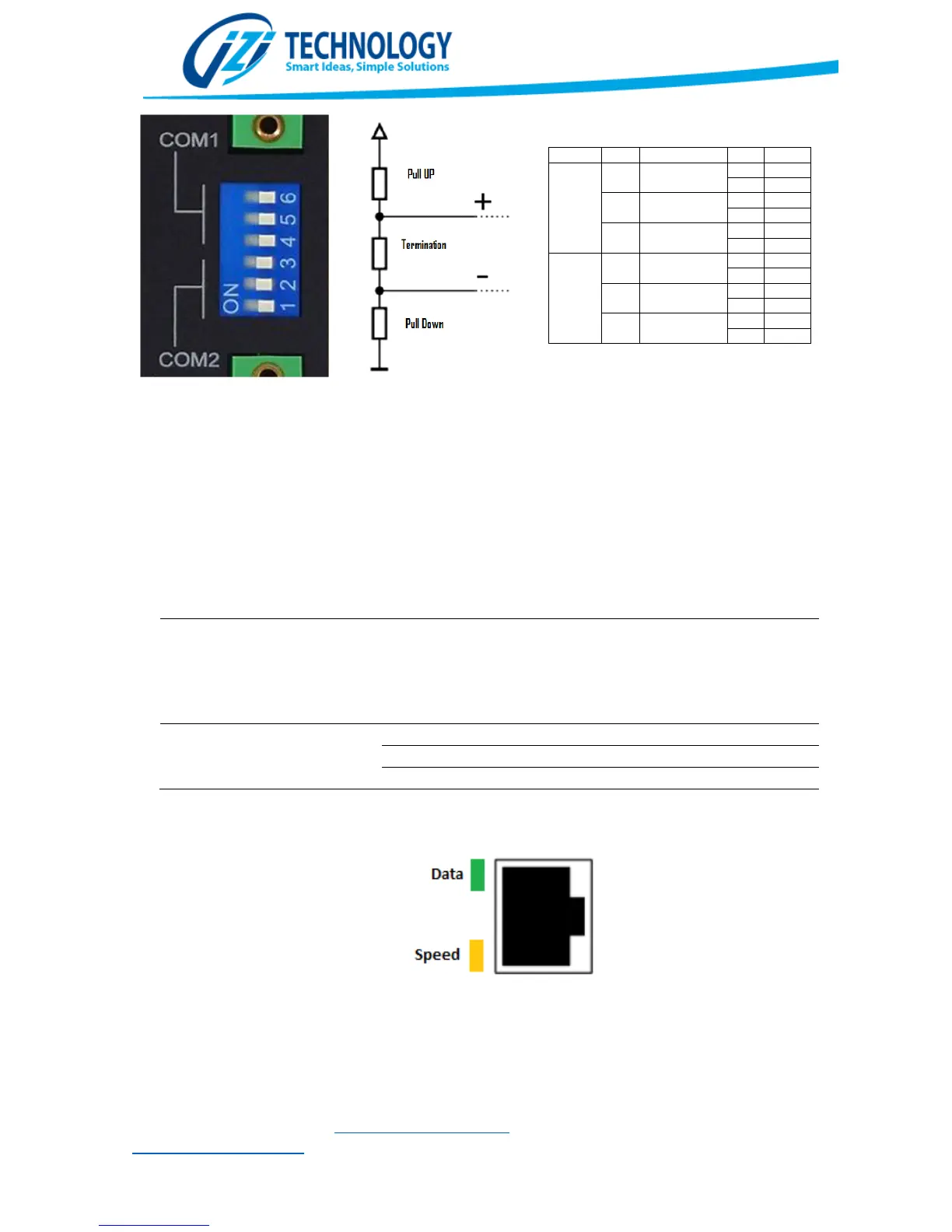
COM
DIP
SW
COM1
6
Pull High
On
1K
Off
100K
5
Pull Low
On
1K
Off
100K
4
Termination
On
120
Off
COM2
3
Pull High
On
1K
Off
100K
2
Pull Low
On
1K
Off
100K
1
Termination
On
120
Off
Figure
5.
Serial Port Configuration Switches
.
Ethernet
The SPX5 has a 10/100/1000 Mb/s capable Ethernet Port. This port supports all type of network
communications like Ethernet/IP and Modbus TCP/IP. This port is also used for configuring the
SPX5 using our WEB based configuration tool.
Indication
LEDs
for the
Ethernet Port
LED
Status
Description
Data
(Verde)
Off
Blinking
No
Ethernet connection
detected. SPX5 is not
communicating trough the Ethernet Port.
Active data Communication trough the
Ethernet Port..

Speed(Ambe
r)
Off
No
activity
On
Connected at
10 Mbps.
Blinking
Connected
a
t
100/1000 Mbps
Figure
6
. Ethernet
Port indication Lights