44
3. Operation & Setting
43
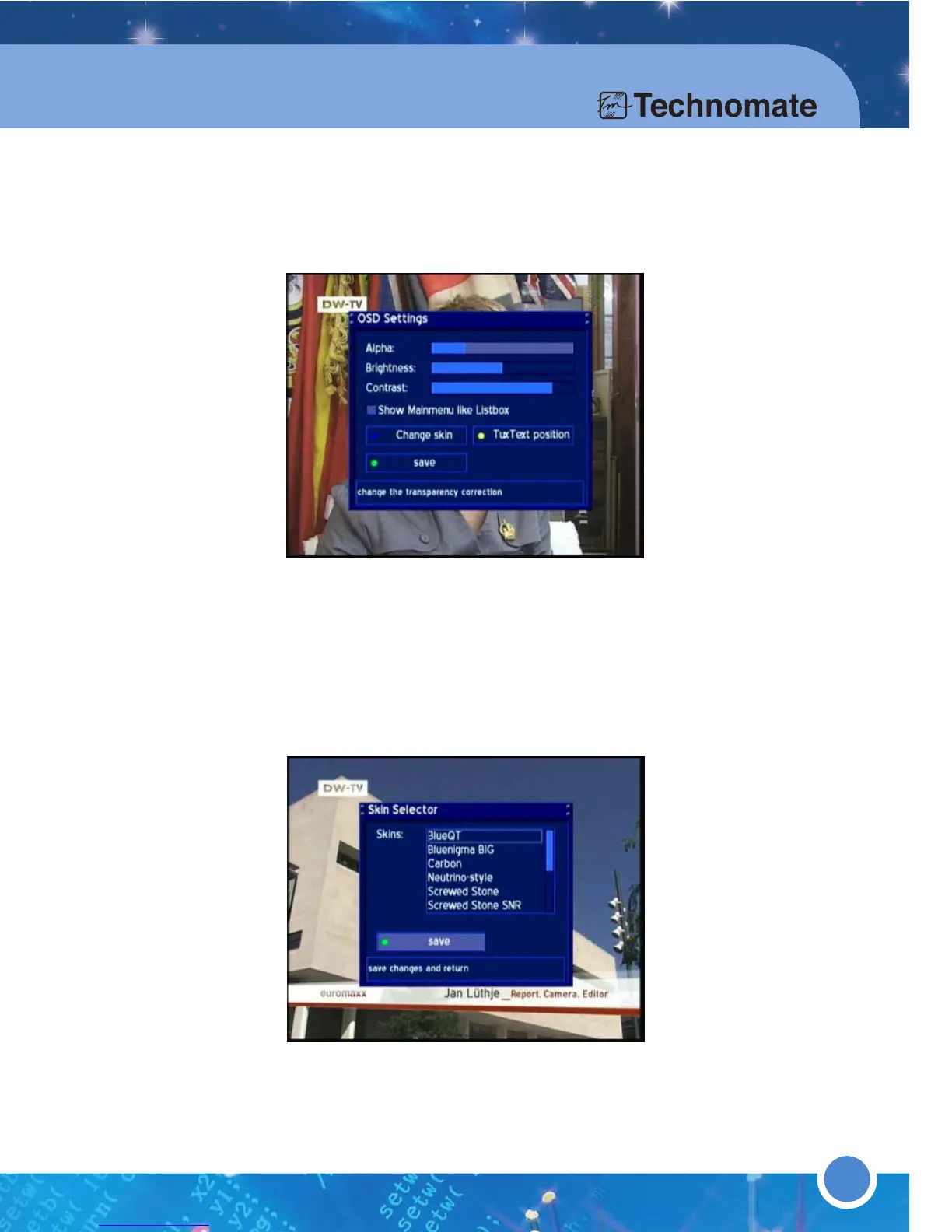
* OSD SETTINGS
Press the [MENU] button to go to the Main Menu. Go to - (6)Setup
(3)System Settings (5)OSD Settings.
Use the [LEFT/RIGHT] Navigation buttons decrease or increase the
selected slider.
Alpha: The transparency of the OSD menu.
Brightness: The brightness of the OSD menu.
Contrast: The contrast of the OSD menu.
Show Mainmenu Iike Listbox: Press the [OK] button to enable OSD Main
Menu to be viewed as vertical list (A check/tick will appear in the checkbox.)
Change skin: Setup a new skin. A skin changes the appearance of the
OSD. Press the [BLUE] button or go to
Change skin and press [OK].
Choose a new skin and press the [OK] button. To apply the new skin, select
Yes to restart the TM-500/600. A Skin Preview is on the right column.
* USB Setup (TM-600)
To set the USB for recording(PVR)
Go to (6)Set up
(3)System settings (4)USB setup in the menu ;
USB Save(as default)
USB Port selection for PVR :
To set USB port for recording out of 3 ports.
USB Setup
Format USB: To format USB storage.



 To Next Page