34
35
EN
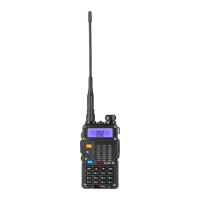
Main controls and parts of the radio:
Display LCD
1 Antenna 10 Hook for wrist strap
2 Electric torch 11 Accessories socket (earphone)
3 Knob (On / OFF, Volume) 12 A/B (Frequency selecon key:
press it to select the desired
frequency
4 LCD display 13 BAND (change band not present
on TS-T9+)
5 CALL (press to acvate the FM
radio. If you hold the buon for
5 seconds an audible warning
will sound and the radio will
switch to broadcast.)
14 Alphanumeric keyboard
6 MON (Long press: the Monitor
funcon is acvated. Short
press: the torch lights up. Press
the buon again to emit the
emergency light.)
15 Microphone
7 PTT (push to talk) buon 16 Baery
8 VFO / MR (press to change chan-
nel / frequency mode)
17 Baery contacts.
9 LED Indicator 18 LCD display


 To Next Page