52
53
EN
and recepon).
You can choose from the following sengs:
OFF: TS-T9+ receives on both channels (not simultaneously); or
will ash on the corresponding frequency band
A: TS-T9+ receives on both channels (not simultaneously) but transmits only on
channel A (upper).
B: TS-T9+ receives on both channels (not simultaneously) but transmits only on
channel B (upper).
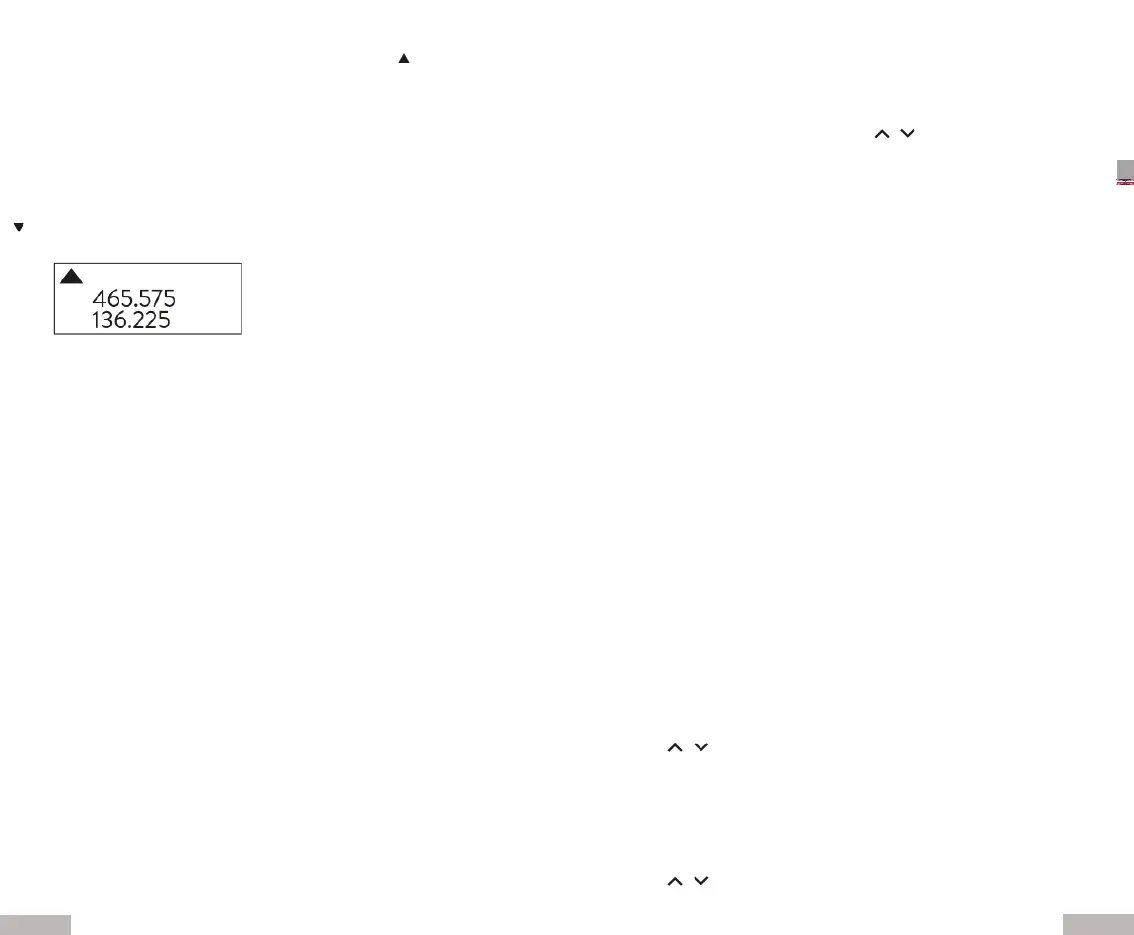
If you choose opon A, 465.575MHz is the transmission frequency, while
136.225MHz is the recepon frequency;
If instead you choose opon B, 136.225MHz is the frequency in tx and
465.575MHz is the frequency in rx.
Example: the display shows
Side tone eliminaon (STE) - Menu N°35
This funcon eliminates that annoying tone that is emied at the end of transmis-
sion.
Side tone in communicaon with repeaters (RP-STE) Menu N°36
This feature is useful when communicang with repeater bridges; when the PTT is
released, the repeater bridge will emit a tone to conrm its operaon.
You can choose between these possibilies:
OFF
1,2,3,4,5, .... 10 to set the delay.
Note: we recommend disabling this funcon during normal use of the radio, so
as not to aect your conversaons.
Delay seng for communicaon with repeater bridges (RPT-RL) - Menu N°37
With this funcon you have conrmaon that the repeater bridge with which you
communicate has received your signal. You can choose between:
OFF
1,2,3,4,5, .... 10 (set the delay)
Display on power-up display (PONMSG) Menu N°38
In this menu, set the display to show when the radio is turned on. Two opons are
possible:
FULL: the frequency appears.
MSG: Tech Side is displayed.
Roger beep (ROGER) - Menu N°39
When you release the PTT, the radio will beep to conrm to others
users who have nished your communicaon and the other pares can start broad-
casng.
Reset (RESET) - Menu N°40
The reset allows you to return the device to the original factory sengs and param-
eters. Once reset, you can set the desired funcons. Two types of reset are possible:
VFO: Menu reset
ALL: reset of Menu and channels
Keypad lock - Menu N°41
This funcon locks the keyboard to prevent accidental key presses.
To unlock the keyboard, press # for more than 2 seconds.
FM radio (FM) - Menu No°42
1. The frequency band of the FM radio is 65-108MHz.
2. In frequency or channel mode press CALL
3. Select the desired radio staon with the / buons or enter the frequen-
cy directly.
4. To change the staon press *
5. To exit FM radio mode press CALL.
Note: listening to the radio is automacally interrupted to transmit or if signals
are received on the channels or on the set frequencies.
Rapid alarm (ALARM) - Menu N°43
In frequency or channel mode, press CALL for more than 2 seconds: it comes
alarm tone emied. To stop it, press PTT.
Note: for alarm mode, refer to Menu N°32.
Torch - Menu N°44
TS-T9+ is equipped with a torch for night lighng.
To turn it on, press MON; press the buon again and the ashlight will ash strobo-
scopically. Press MON a third me to turn it o.
Monitor (MON) - Menu N°45
The Monitor feature allows you to override the squelch so you can receive signals
that are too weak to be received with the squelch open.
Press MON to acvate or deacvate the funcon.
Channel / frequency mode (VFO / MR) - Menu N°46
To switch from channel to frequency mode, press the VFO/MR buon.
1750Hz tone - Menu N°47
To send a 1750Hz tone, press PTT + BAND. This feature is useful for communica-
ons via repeater bridges.
Inverted frequency funcon (R) - Menu N°48
Thanks to this funcon, the transmission and recepon frequencies can be inter-
changed: press the * key.
Note: the inverted frequency funcon can only be acvated in the simplex mode
(same frequency tx and rx). However the frequency tx and rx does not change.
Frequency scan - Menu N°49
To scan frequency:
1. In frequency mode, press * for more than 2 seconds. The radio will start scan-
ning frequencies according to the set frequency step.
2. Use the / keys to reverse the direcon of the scan.
3. To stop scanning, press any buon.
Note: for scan mode, refer to Menu N°18.
Channel scan - Menu N°50
To scan channels:
1. In frequency mode, press * for more than 2 seconds. The radio will start scan-
ning according to the set channel.
2. Use the / keys to reverse the direcon of the scan.
3. To stop scanning, press any buon.


 To Next Page
 Loading...