SUBTTL: Press SUBTITLE button to view Select
Genre menu. Using this feature, you can search the
programme guide database in accordance with the
genre. Info available in the programme guide will
be searched and results matching your criteria will
be listed.
SWAP(Now): Shows the current programme.
First Time Installation
IMPORTANT: Ensure that the aerial is connected
and a Common Interface module is not inserted
before switching on the TV for the first time
installation.
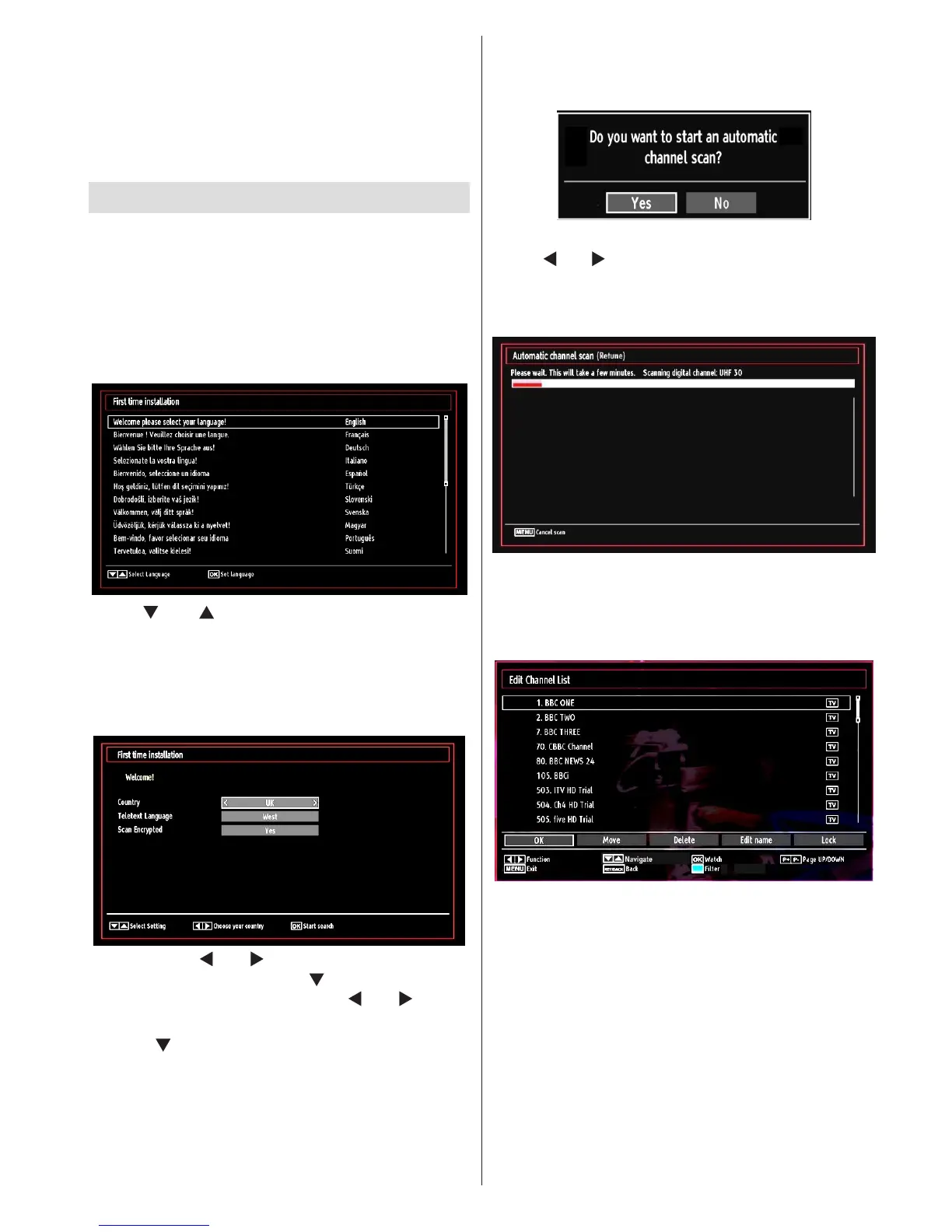
When the TV is operated for the rst time, the •
installation wizard will guide you through the
process. First, the language selection screen will
be displayed:
Use “• ” or “ ” buttons to select your language
and press OK button to set the selected language
and continue.
After selecting the language, “• Welcome!” screen will
be displayed, requiring you to set Country,Teletext
Language and Scan Encrypted options.
By pressing “• ” or “ ” button, select the country
you want to set and press “ ” button to highlight
Teletext Language option. Use “ ” or “ ” button
to select desired Teletext Language.
Press “• ” button after setting Teletext Language
option. Scan Encrypted will be then highlighted.
You should set the Scan Encrypted as Yes if you
want to scan coded stations.Afterwards select the
desired Teletext Language.
Press • OK button on the remote control to continue
and the following message will be displayed on the
screen:
To select the “Yes” or “No” option, highlight the item by
using “ ” or “ ” buttons and press OK button.
Afterwards the following OSD will be displayed on
the screen and the TV will search for both digital and
analogue TV broadcasts.
Note: You can press “M” button to cancel.
After all the available stations are stored, Channel •
List will be displayed on the screen. If you like the
sort channels, according to the LCN, please select
“Yes” and than press “OK”.
Press • OK button to quit channel list and watch TV.



 To Next Page