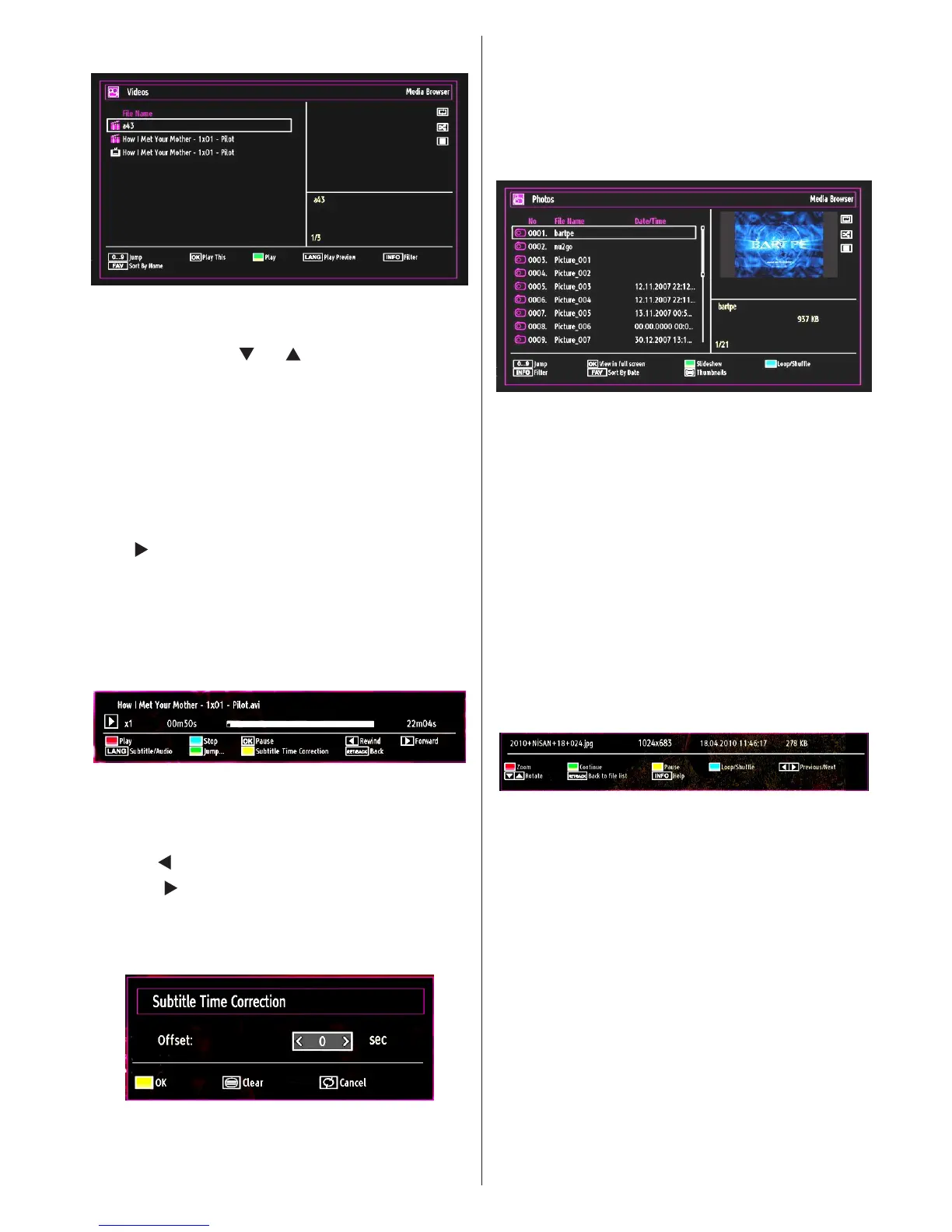
Viewing Videos via USB
When you select Videos from the main options,
available video les will be ltered and listed on this
screen. You can use “ ” or “ ” button to select a video
le and press OK button to play a video. If you select
a subtitle le and press OK button, you can select or
deselect that subtitle le. The following menu will be
displayed while playing a video le:
Jump (Numeric buttons): The TV will jump to the
le starting with the letter you input via the numeric
buttons on your remote control.
Play This (GREEN button): Plays the selected le.
Play ( button): Plays all media les starting with
the selected one.
Lang (Play Preview): Displays selected le in a small
preview screen.
INFO: Changes lter options.
FAV: Sorts les by name.
Play (RED button): Starts the video playback.
Stop (BLUE button): Stops the video playback.
Pause (OK button): Pause the video playback.
Rewind ( button): Goes backward.
Forward ( button): Goes forward.
Subtitle/Audio (LANG. button): Sets subtitle/Audio.
Yellow: Opens subtitle time correction menu.
Press RETURN button to switch back to previous
menu.
Viewing Photos via USB
When you select Photos from the main options,
available image les will be ltered and listed on this
screen.
Jump (Numeric buttons): Jump to selected le using
the numeric buttons.
OK: Views the selected picture in full screen.
Slideshow (GREEN button): Starts the slideshow
using all images.
Loop/Shufe (BLUE button): Press once to disable
Loop. Press again to disable both Loop and Shufe.
Press once more to enable only Shufe. Press again
to enable all. You can follow the disabled functions
with the change of the icons.
INFO: Changes lter options.
FAV: Sorts les by date.
TEXT button: Views images in thumbnails.
Slideshow Options
Zoom (RED button) : Zooms picture.
Note: If a picture is zoomed out/displayed in full
screen, you cannot navigate the picture by using Up/
Down/Left/Right buttons.
Pause (YELLOW button) : Pauses the slideshow.
Continue (GREEN button) : Continues the
slideshow.
Previous/Next (Left/Right buttons): Jumps to
previous or next le on slideshow.
Rotate (Up/Down buttons): Rotates the image using
up/down buttons.
Loop/Shufe (BLUE button): Press once to disable
Loop. Press again to disable both Loop and Shufe.
Press once more to enable only Shufe. Press again
to enable all. You can follow the disabled functions
with the change of the icons.


 To Next Page