16
Direct Tuning With Remote Control
You can tune a station directly by inputting the actual fre-
quency using the remote control.
1. Press the TUNER button.
2. Select AM or FM by pressing the BAND selector button.
3. Press the DIRECT TUNING button on the remote control
unit, “ENTER FREQUENCY” appears on the display for a
few seconds.
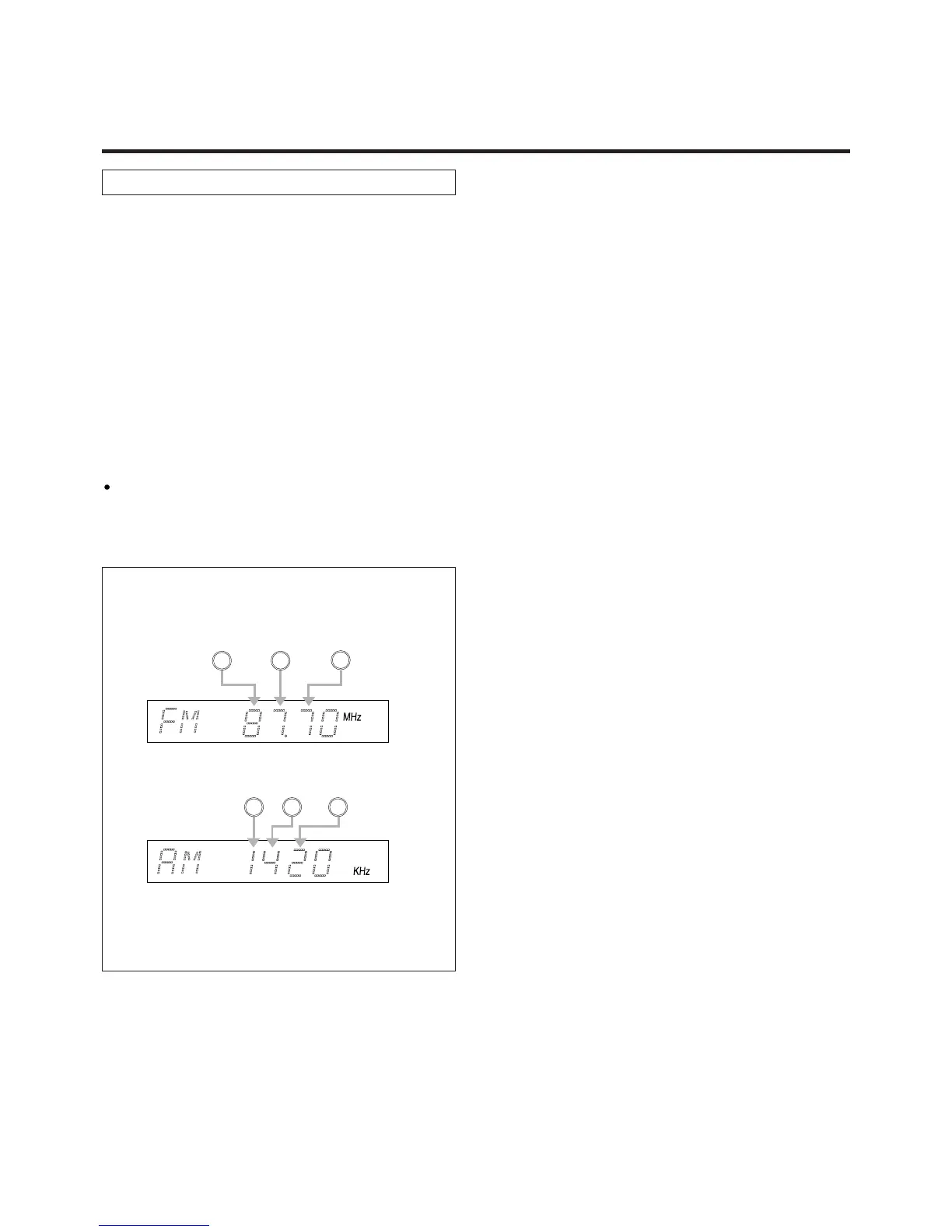
“FM ---.---MHz” or “AM----KHz” appears on the display.
4. Input the frequency of the broadcast you want to hear
with the numeric keys.
If you press the DIRECT TUNING button again or without
pressing any button for 30 seconds, Direct tuning is
released.
FM : 100-kHz steps
AM : 10-kHz steps
Ex.: FM 87.7 MHz
Ex.: AM 1420 kHz
Note :
When inputting the frequency, the last digit need not be
entered as it is always “0”.
8
7
7
1 4 2


 To Next Page