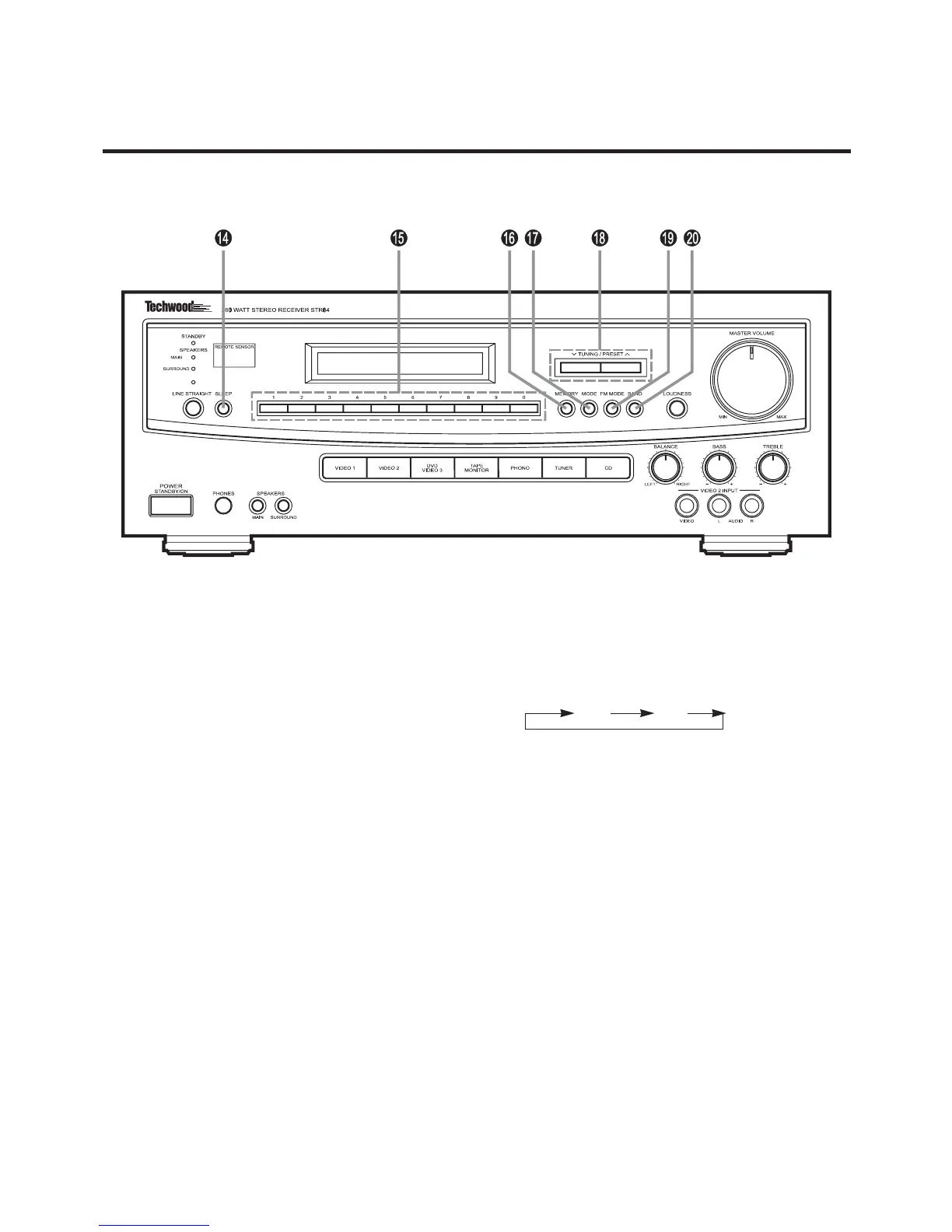
20. BAND selector button
Each time you press the button, the bands will
change as follows.
FM AM
14. SLEEP button
15. Preset buttons (0 -9)
These buttons are used to store and recall FM/AM sta-
tions in memory (See page 17).
16. MEMORY button
Use to store FM/AM stations in memory (See page 17).
17. MODE button
Use to select the Normal Tuning Scan or Preset Channel
scan modes.
See Radio Reception (See page 15 ~ 17).
18. TUNING/PRESET buttons
See Radio Reception (See page 15 ~ 17).
19. FM MODE button
When activated, this unit automatically switches into the
stereo mode when a stereo broadcast is received and
the stereo light illuminates.
Press this button again to listen in the mono mode.
The stereo indicator will not illuminate in the mono
mode.
9


 To Next Page