PROVASET 2P code 2P2B00 - 2P6B00 - Instruction manual
rev. 14/02/2013
page 8
2 DESCRIPTION AND INSTALLATION
2.1 Front panel
PROVASET
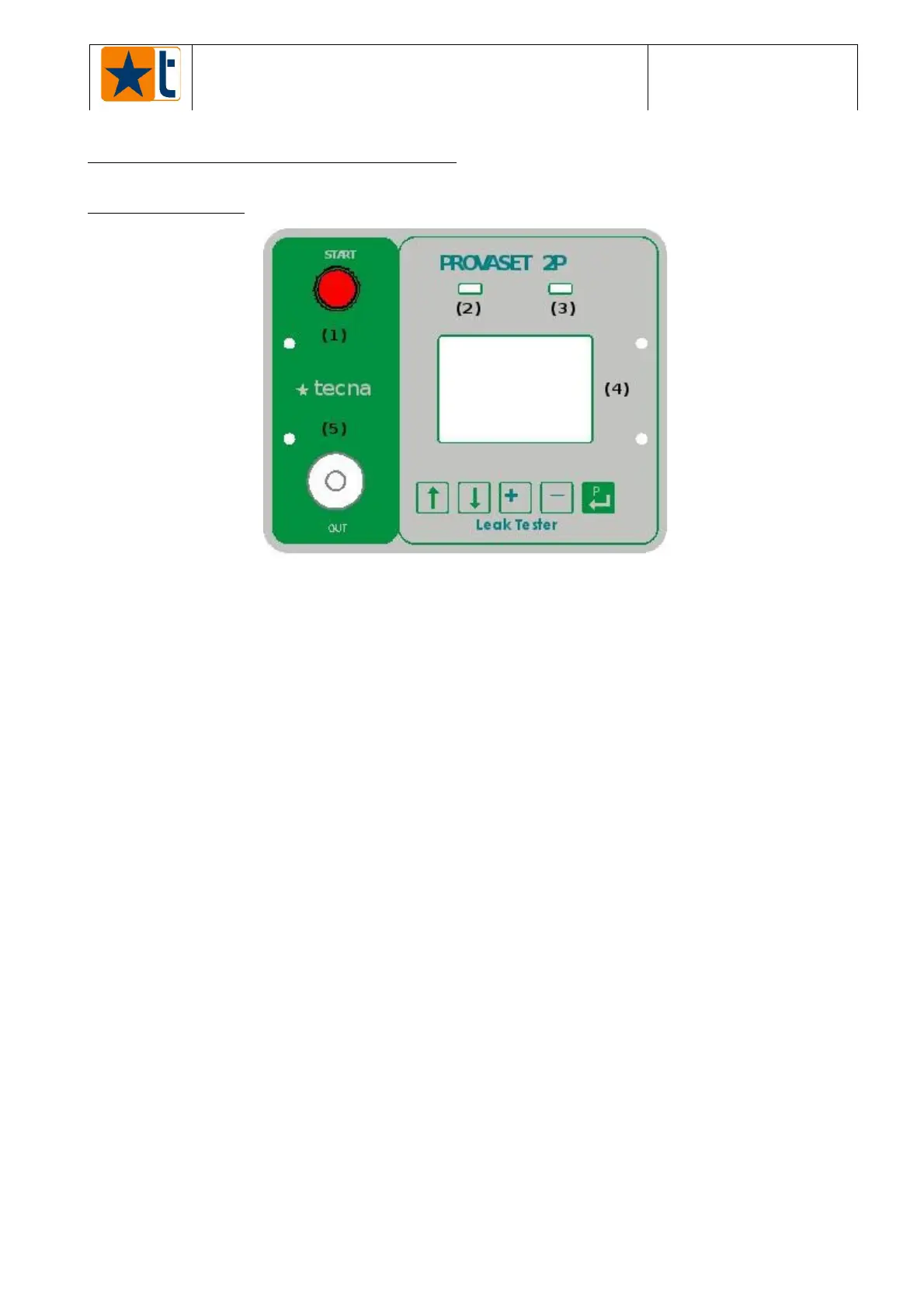
2P - Front panel
PICTURE 1
KEYS:
1. START push-button: Button starting the test cycle (manual start).
If pressed continuously for more than one second, it cancels the test being carried out
(RESET) at any moment.
2. GREEN light:
It blinks for a second after the tester starting up.
It blinks if the last test result is PASSED.
3. RED light:
It blinks for a second after the tester starting up.
It blinks when the device is in ALARM state or if the last test result is ERROR or FAILED.
4. Back-lit graphic 128x64 LCD display that visualises any information
relating to the testing phases, the programmable parameters and the alarms.
5. Air outlet connection:
Tube holder (tube 6x4mm) for the connection of the product to be tested.
NOTE: The connection tube to the tested product must be as short as possible.
Any volume added to the tested product reduces the measure
sensitivity.
The tests should be performed always with the same type of connection
to have repetitive test results.
Check often the integrity of the connection between the instrument and
the tested products.
Do not tighten the tube stopping nut more than necessary (if you use a
tool, pay special attention).
NOTE: For the use of keys, see paragraph 6.1.



 To Next Page