PROVASET T3LPF REV.20210610
35
The test parameters are organised in a PRODUCTS archive and a TESTS archive.
To view the parameter pages, use the keys
, and the key .
To change the parameters, press the key
.
To copy a PRODUCT onto another or a TEST onto another, use the key
.
5.4.1 Products
The PRODUCT function makes it possible to program and perform a test cycle con-
sisting of one or more tests in sequence, so that the test meets the characteristics of
the product to be tested.
For example, testing a product may require only one leak test or, in sequence, two
At the START test command, the instrument performs the test according to the ena-
bled and active PRODUCT program.
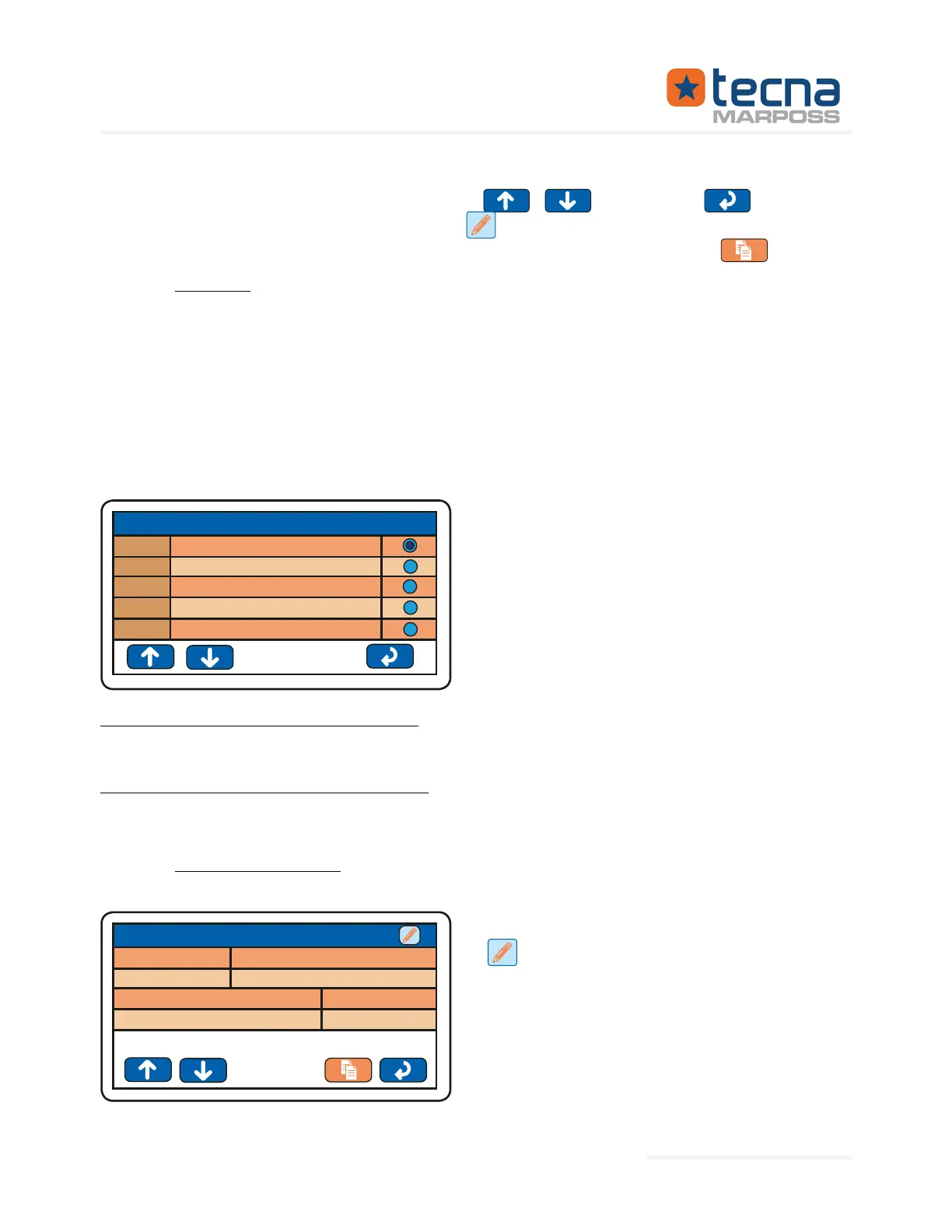
List of programs available as PRODUCT.
The enabled and active product is indi-
cated in the ENABLE column on the right
with a full circle.
1
2
3
4
5
SHOW
ENABLE
VALVE_A
VALVE_B
VALVE_C
VALVE_D
VALVE_E
PRODUCT
Enabling and activating a PRODUCT
Press on the box on the right, in the ENABLE column, to select and enable an active
PRODUCT for testing; the full circle indicates the enabled and active PRODUCT.
Displaying and changing a PRODUCT
Press on the number or on the name of a PRODUCT to display the sequence of steps
(test programs) associated with the PRODUCT.
5.4.1.1 Product parameters
To change the parameters, press the key
s
ABC: 300
3
1.0
Name
Step delay
Code
Step number
VALVE_A
PRODUCT n°001: VALVE_A
Represented By: GTEK AUTOMATION Lake Forest, CA 92630 Ph. 949-680-4242 www.gtek-automation.com


 To Next Page
 Loading...
