Need help?
Do you have a question about the TECNA TE101 and is the answer not in the manual?
Key features include synchronous diodes, RMS ammeter, program storage, and various weld functions.
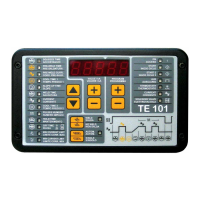
Details on initial display, entering programming mode, and adjusting weld parameters for the control unit.
Enables consecutive weld cycles with control device activation. Start or stop using the dedicated button.
Allows test cycles without welding current. Start or stop welding current using the dedicated button.
Detailed descriptions of all programming parameters, including time units, current settings, and limits.
How to read weld current, set current limits, and manage stop functions due to out-of-limits spots.
Using current compensation, calling external programs, and thermostat input for machine protection.
Using a secondary control device and configuring setup menu parameters for advanced operation.
Overview of key setup parameters like S2, bL, Pr, A, Fi, Co, and the autoretain function.
Connecting and using the RS-232 interface for data documentation and general maintenance advice.
Explanation of panel warning lights and a list of initial error messages with their causes and solutions.
List of errors occurring when receiving a weld cycle start command, including causes and remedies.
Errors that occur during the weld cycle or at its end, with troubleshooting steps.
 General
| Brand | TECNA |
|---|---|
| Model | TE101 |
| Category | Welding System |
| Language | English |

 To Next Page