22
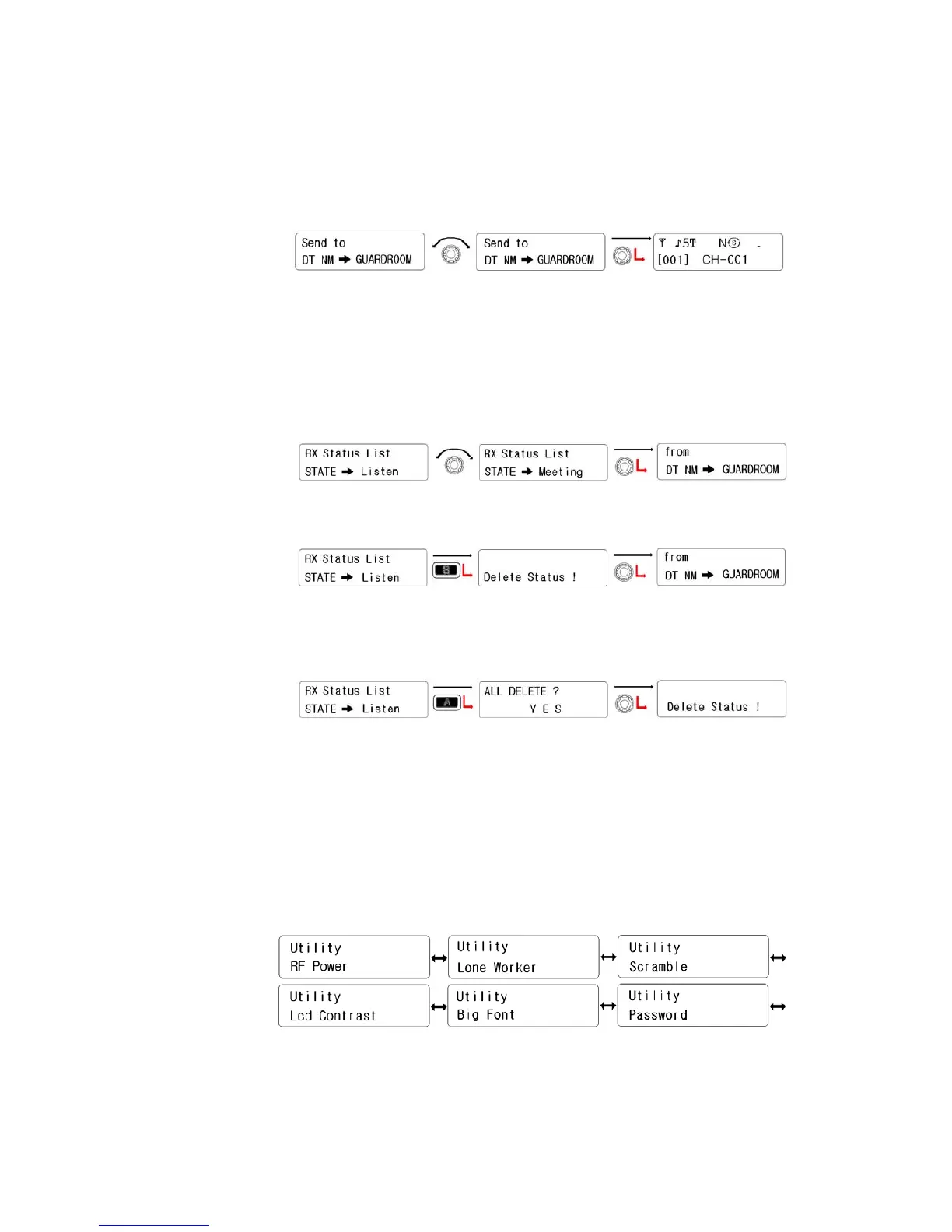
② Rotate the right knob(Encoder) to select the ID which you wanted to
send the status. And then press the right knob(encode) to set.
③ After Automatically getting out of the menu, the radio send the status,
a receiver’s ID and a sender’s ID orderly.
2) Receive Check
① Rotate the right knob to select the received status for reading. And
then press the right know to check the sender’s ID.
② To remove the received status, press the “S” button.
③ To erase all of the received status, press the “A” button and select
Yes.
5.4 Utility Setting
There are six sub-menus (RF Power, Lone Worker, Scramble, Lcd Contrast, Big Font,
Password). Selection is done by the right knob(encoder) and press it to activate the
function.
1) RF Power


 To Next Page