26
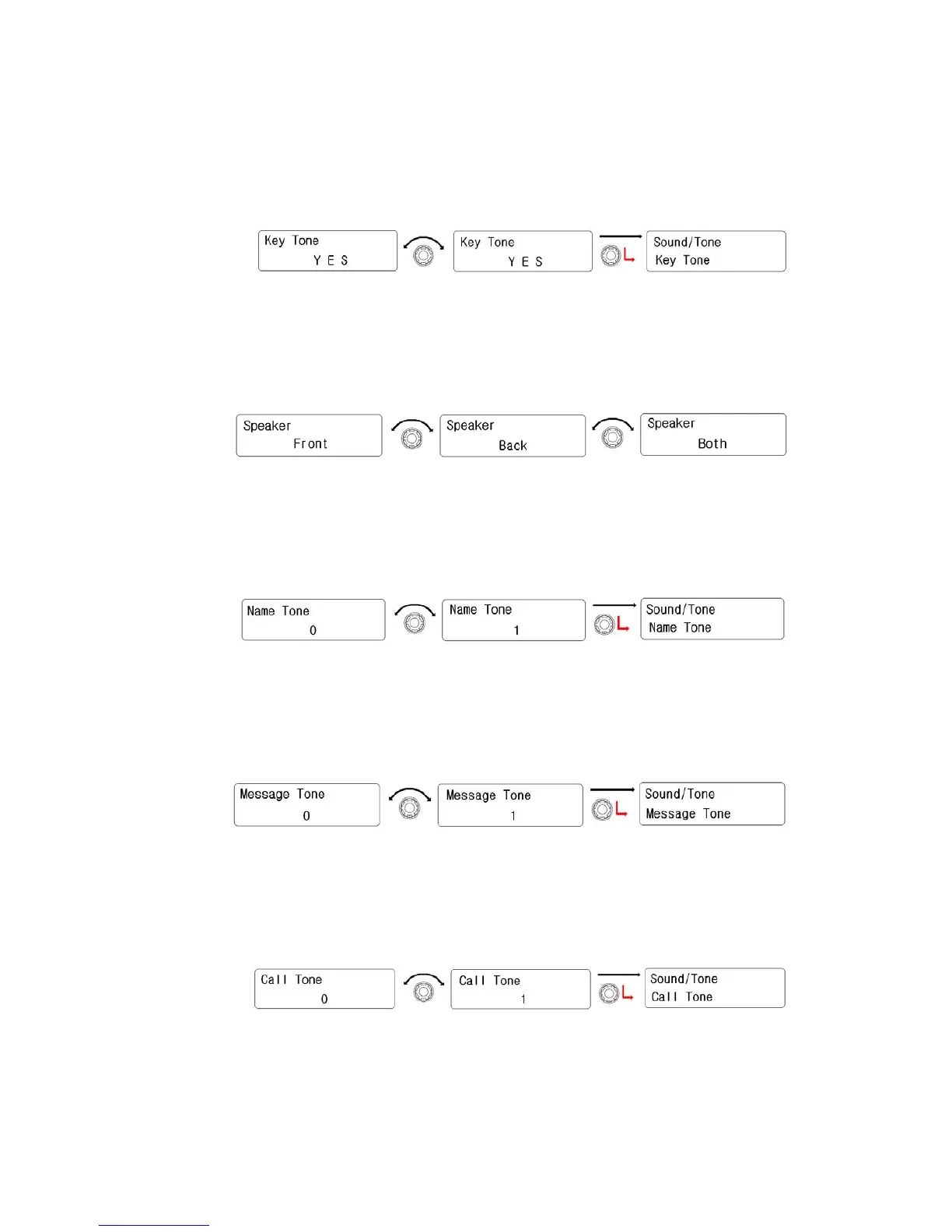
3) Key Tone
① Rotate the right knob( Encoder) to select “Yes”. And then press
the right knob(Encoder) to activate it.
② To be back to upper menu, press the red button.
4) Speaker
① Rotate the right knob( Encoder) to select one of them(Front,
Back, Both). And then press the right knob(Encoder) to activate
it.
② To be back to upper menu, press the red button.
5) Name Tone
① Rotate the right knob(Encoder) to select preferred tone. And
then press it to set.
② To be back to upper menu, press the red button.
6) Message Tone
① Rotate the right knob(Encoder) to select preferred tone. And
then press it to set.
② To be back to upper menu, press the red button.
7) Call Tone
① Rotate the right knob(Encoder) to select preferred tone. And
then press it to set.
② To be back to upper menu, press the red button.


 To Next Page