25
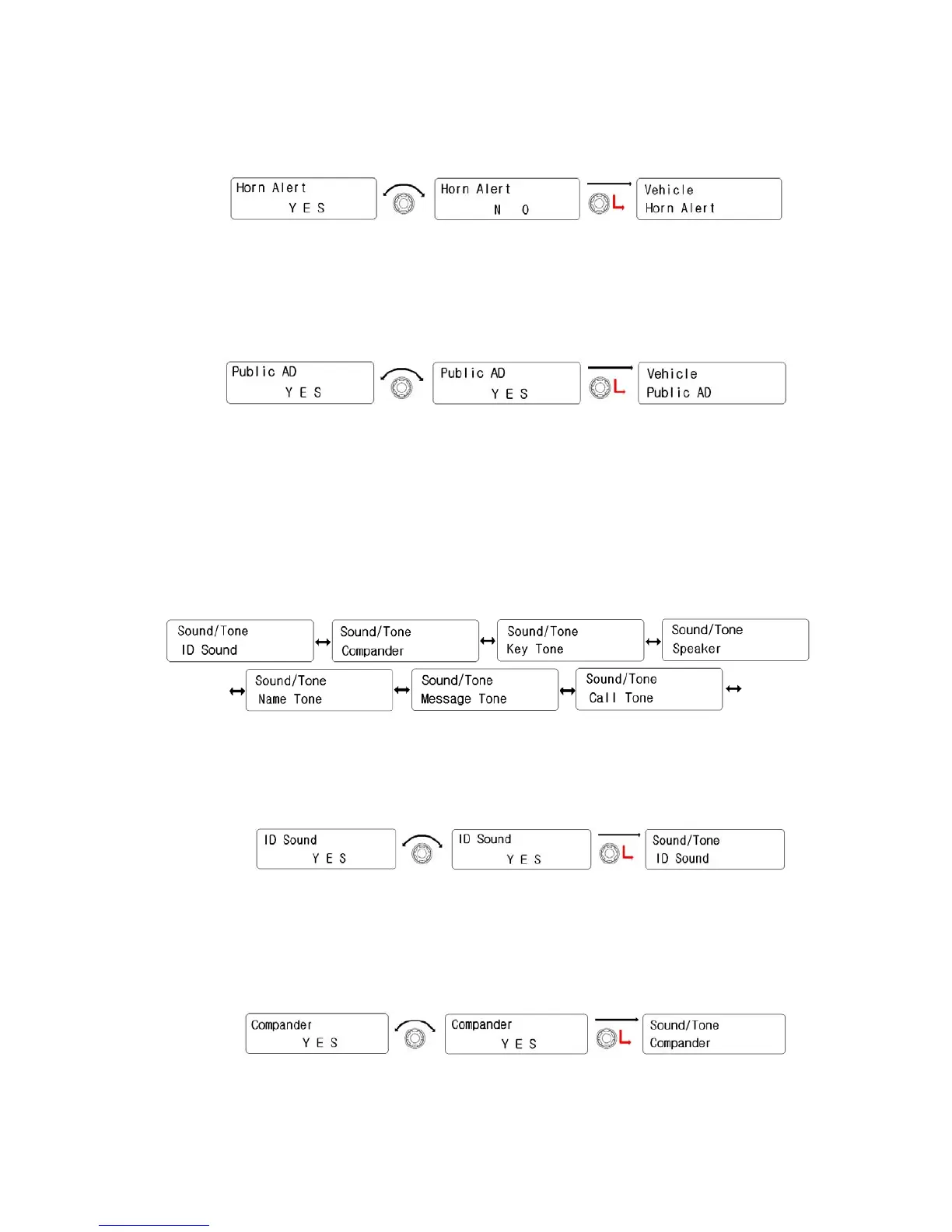
② To be back to upper menu, press the red button.
2) Public AD
① Rotate the right knob( Encoder) to select “Yes”. And then press
the right knob(Encoder) to activate it.
② To be back to upper menu, press the red button.
5.6 Sound/Tone
There are 7 kinds of sub-menu. (ID Sound, Comapnder, Key Tone, Speaker, Name Tone,
MSG Tone, Call Tone) Selection is done by the right knob(Encoder). Activation is by
pressing the right knob.
1) ID Sound
① Rotate the right knob( Encoder) to select “Yes”. And then press
the right knob(Encoder) to activate it.
② To be back to upper menu, press the red button.
2) Compander
① Rotate the right knob( Encoder) to select “Yes”. And then press
the right knob(Encoder) to activate it.
② To be back to upper menu, press the red button.


 To Next Page