24
② To be back to upper menu, press the red button.
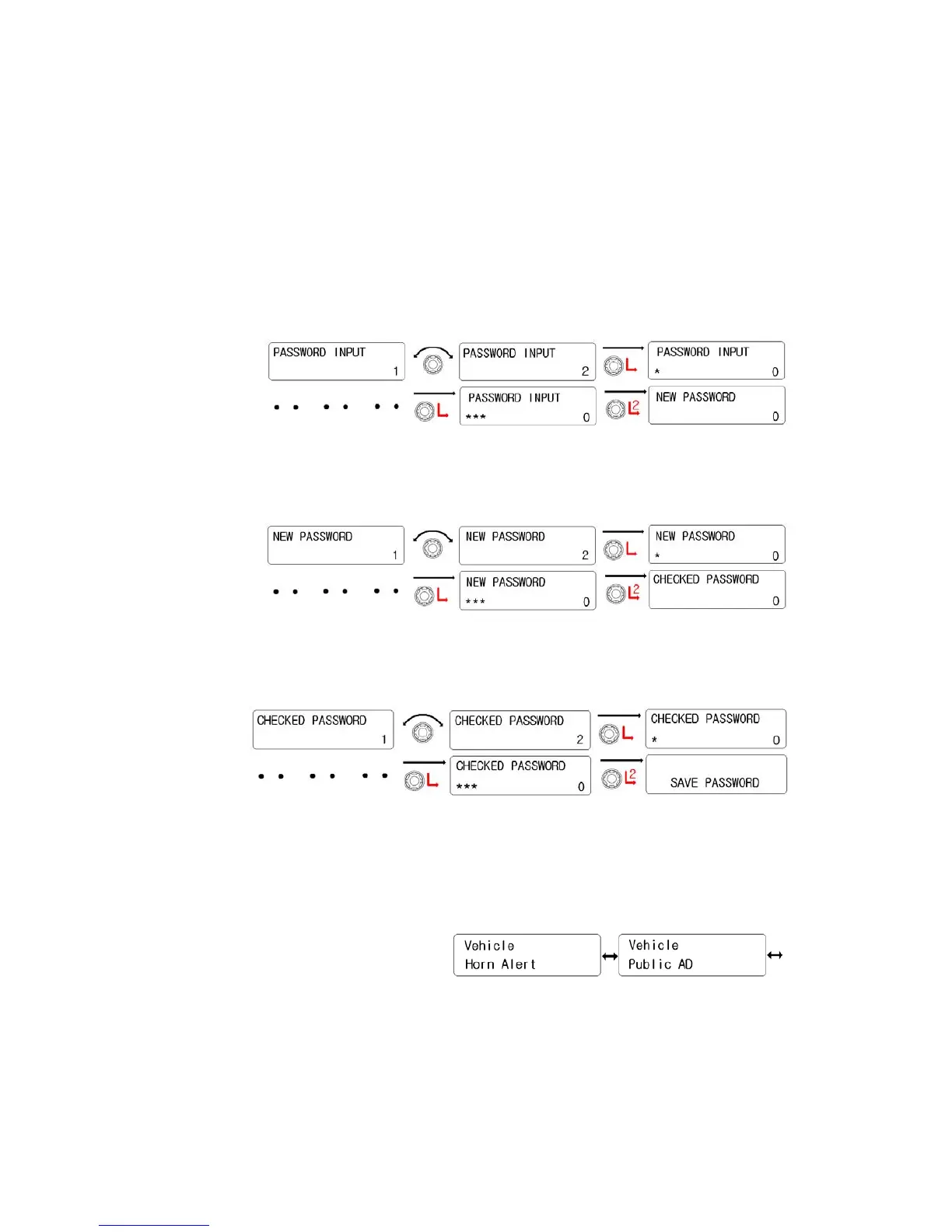
6) Password
① When a Password is pre-programmed, ”PASSWORD INPUT” is
displayed on the LCD. And input the password. So, below No.2
step will be processed.
② When a password is not programmed, “NEW PASSWORD” is
shown on the LCD. So, input new password.
③ When “CHECKED PASSWORD” is shown, input new password
one again.
5.5 Vehicle Setting
It has two kinds.(Horn Alert, Public AD). Rotate the right knob( Encoder ) to select one of
them. And then press the right knob to activate it.
1) Horn Alert
① Rotate the right knob( Encoder) to select “Yes”. And then press
the right knob(Encoder) to activate it.


 To Next Page