Need help?
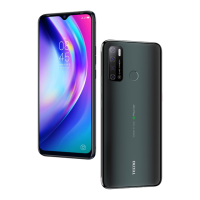
Do you have a question about the Tecno 2ADYY-Y4 and is the answer not in the manual?
How to set up screen lock for security.
Troubleshooting connection issues with USB data cables.
Guide on installing applications from sources other than the official market.
Defines 'Root' in the context of Android systems.
Explains what an APK file is in Android.
Defines 'Webkit' as a browser rendering engine.
Explains 'G-Sensor' as an acceleration sensor.
Explains the function of key buttons like Menu, Home, and Back.
Describes how to add, change, and delete widgets on the home screen.
Instructions for sending Multimedia Messaging Service (MMS).
How to configure SMS notification settings and sounds.
How to access and view sender information within messages.
Steps to delete messages from the conversation screen.
How to sort messages by different criteria.
Overview of contacts groups, contacts, and favorites.
How to view and access frequently contacted or favorite contacts.
How to search for contacts using letters or strings.
Methods for importing contact information, e.g., via Bluetooth.
How to view and delete call history records.
How to use copy, cut, and paste functions for text.
Steps to set up and configure email accounts on the device.
Steps to add and manage multiple email accounts.
Instructions for removing an email account from the device.
How to configure the sync frequency for email accounts.
How to add applications to the home screen desktop.
Various methods to set wallpapers on the device.
How to create and manage application folders on the desktop.
How to rename existing application folders.
How to add contact shortcuts to the home screen.
How to add bookmark shortcuts to the home screen for quick access.
How to add music playlists or music widgets to the desktop.
Steps to access and use the Bluetooth settings and features.
How to connect to Wi-Fi networks by adding an access point.
Instructions for enabling Airplane mode via quick settings or system settings.
How to set up and use screen lock for device security.
Steps to perform a factory data reset on the device.
How to access and manage storage settings on the device.
How to change the device's display language settings.
How to configure and select input methods for typing.
How to enable USB debugging for computer connection.
How to enable automatic screen rotation.
How to use the browser to visit websites.
How to save images or other content from web pages.
Explains the functionality and usage of the Hotknot feature.
Instructions to close background applications to improve performance.
Guide for quick email account setup.
Tips for conserving battery life on the device.
How to set up screen lock to prevent unauthorized access.
Troubleshooting steps for USB connection issues with a computer.
Guide to installing apps from sources outside the official app store.
Steps to quickly enable silent mode.
How to forward SMS or MMS messages.
Instructions for using copy and paste functions.
How to sort and create groups for contacts.
How to sync contacts using Bluetooth.
How to connect to Wi-Fi networks.
How to search and find contacts.
How to uninstall downloaded applications.
How to import contacts from the SIM card.
Steps to enable developer options in the device settings.
 General
| Brand | Tecno |
|---|---|
| Model | 2ADYY-Y4 |
| Category | Cell Phone |
| Language | English |


 To Next Page