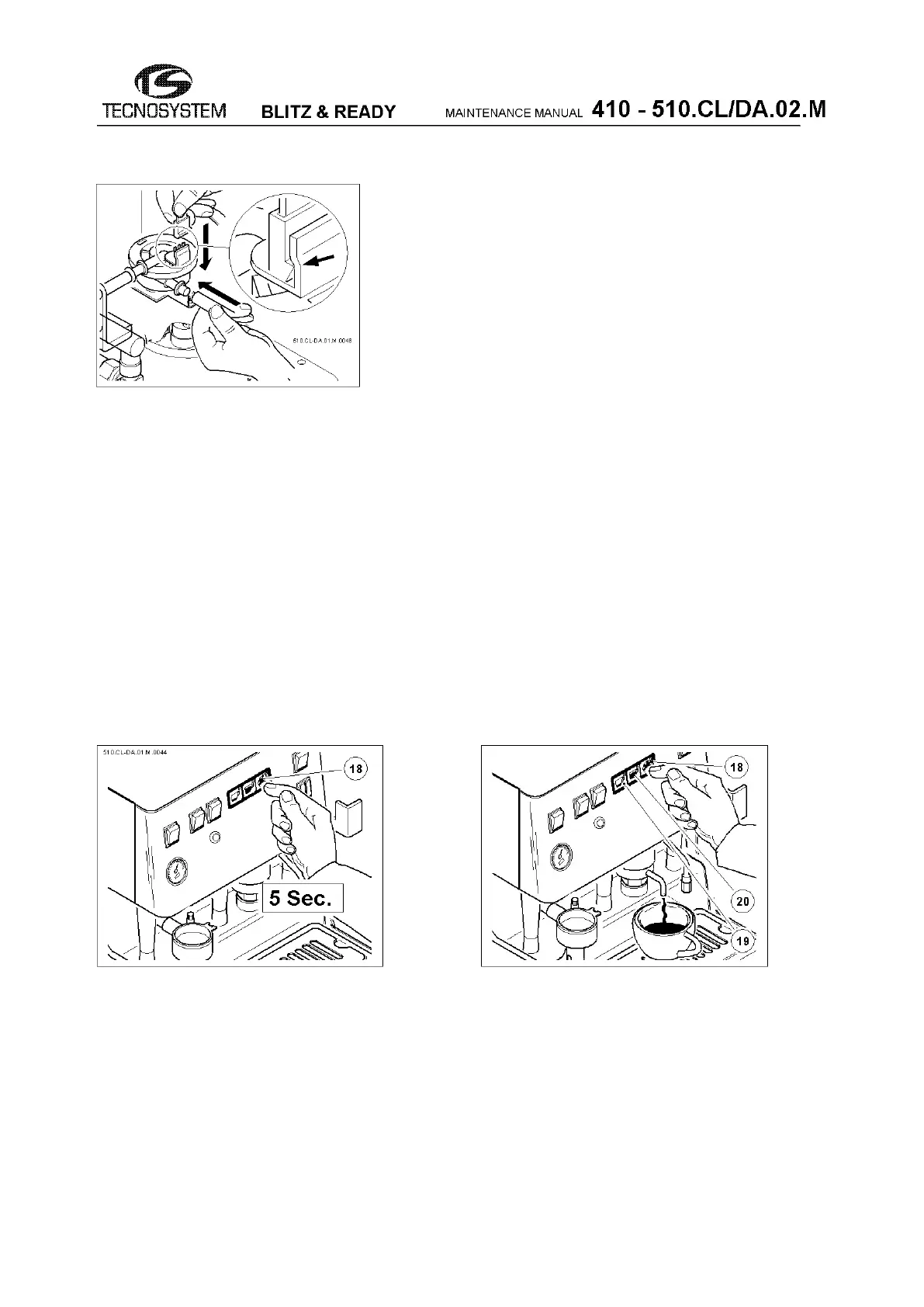
38
If the plug is mounted in a wrong way, this will lead to failure
of the counter, making it unusable.
fig.58
TECHNICAL NOTE:
After cleaning or replacing the volumetric counter, we suggest to test coffee delivery (without pod)
using the preset doses so as to check the proper dose quantity and repeatability.
This function is also useful to reset any programming errors (zero dose programming).
A zero dose programming occurs when attempting to store a high/low-level coffee dose using a
faulty volumetric counter.
This condition is detected when the pump doesn't turn on, even if the corresponding led is flashing,
after pressing the high/low-level coffee button.
To restore the preset doses, see paragraph above.
Now, the desired quantity coffee doses can be re-programmed.
Reprogramming the doses
- Keep the button (18) C/S pressed for 5 sec. (see fig.59) until activating the simultaneous flashing of the 3
Leds located on the keyboard.
- Release the button (18)
- You can now programme the dose of coffee you want as follows:
fig.59 fig.60
- Press the button (19) (see fig.60) to store a low dose of coffee in memory.
- When you reach the desired level, press button 19 again to stop the delivery and store it in memory.
Now, the Leds of the buttons (18) and (20) continue to flash, while the Led of the button (19) stays off.
Follow the same procedure for the dosing of the button (20) for high coffee level.
- Now only the Led on the button C/S (18) will continue to flash. - Provide further confirmation by pressing
the button C/S (18) again.



 To Next Page