HC2-E1000 SERIES
- 12 -
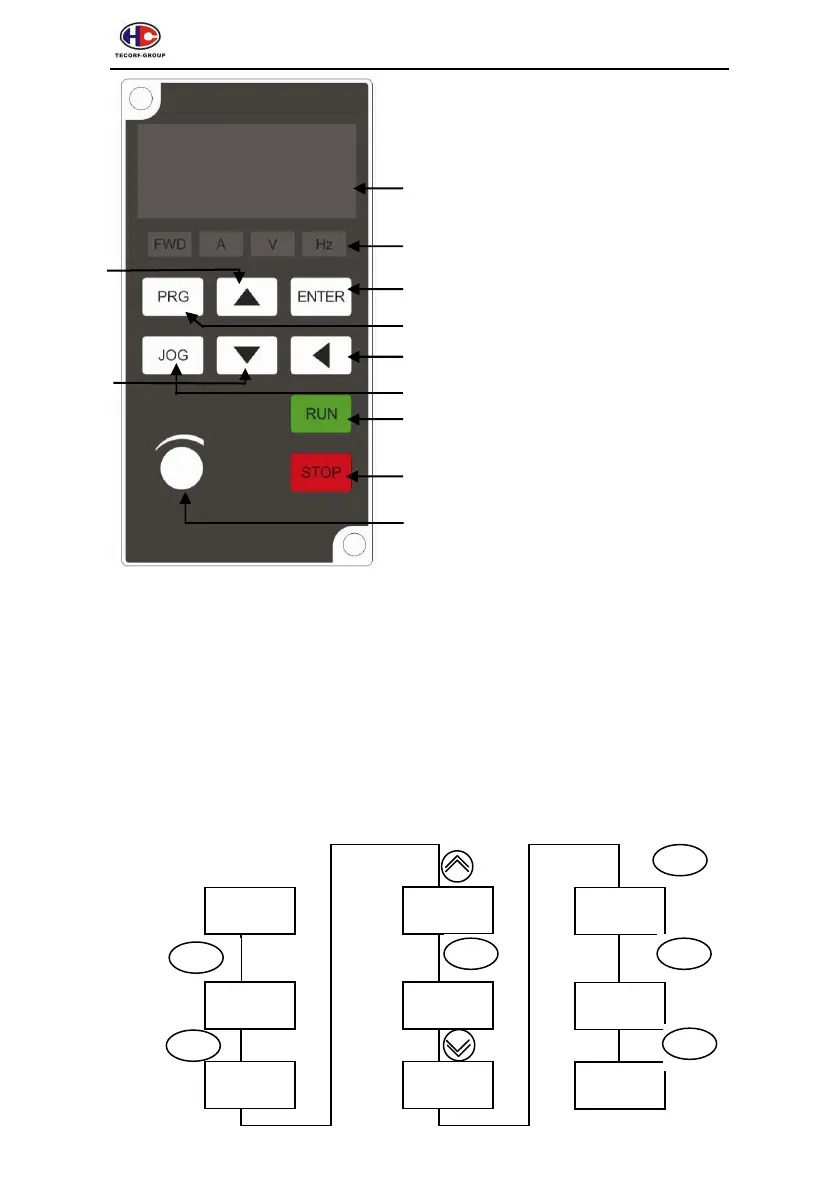
Display: setting frequency, running
frequency, electronic current, and
parameter value and alarm code.
Picture of the display panel
3-3 Parameter Setting
Properly setting the parameters will be running effectively. The
following is the example: 50HZ is changed into 25.00HZ.
The operation as the picture shown, pushing the shift button will switch
the twinkle position for change. This button has one-way circle function.
ENTER
ESC
50.00
F0
F000
F001
50.00
25.00
F002
F0
25.00
ENTER
ENTER
ESC
ESC
Status lamp: display the present status
Programming button
Function option / Save button
Jog button
Up
Switch button
Down
Running button
Stop button
Frequency setting button



 To Next Page