English version
3. INSTALLATION
The unit should be mounted via its screw holes on
the bracket. Always ensure that the unit is rmly
xed to avoid vibration and slipping while operat-
ing. Always ensure that the structure to which you
are attaching the unit is secure and is able to sup-
port a weight of 10 times of the unit's weight. Also
always use a safety cable that can hold 12 times of
the weight of the unit when installing the xture.
The equipment must be xed by professionals. And
it must be xed at a place where is out of the touch
of people and has no one pass by or unider it.
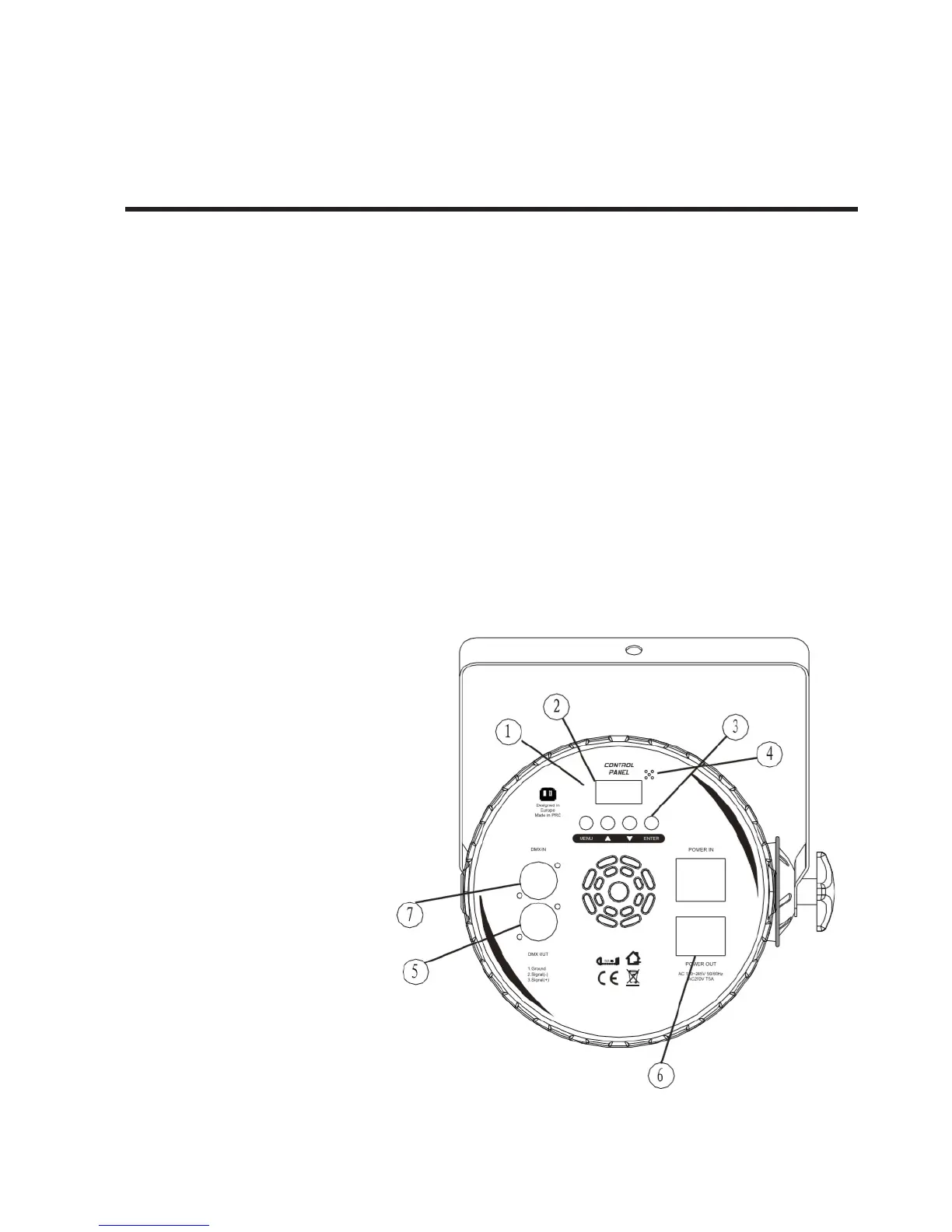
How to Set the Fixture
1. The indicator light
2. Function display: display menu and the selected
function
3. Menu button
4. Microphone
5. DMX signal output
6. Power supply socket
7. DMX signal input


 To Next Page