EasyManua.ls Logo

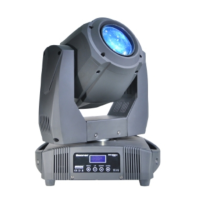
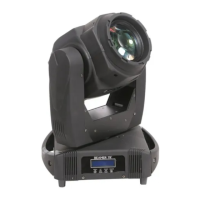
TECshow BEAMER 7R - User Manual

TECshow BEAMER 7R
24 pages
Print Icon
To Next Page IconTo Next Page
Loading...
BEAMER 7R
USER MANUAL / MANUAL DE USUARIO
PLEASE READ THE INSTRUCTIONS CAREFULLY BEFORE USE
POR FAVOR LEA LAS INSTRUCCIÓNES ANTES DE USAR

Questions and Answers

  • W
    William HartAug 2, 2025
    What to do if TECshow BEAMER 7R Light Fixture doesn't respond when power is applied?
    • K
      Karen FoleyAug 2, 2025
      If your TECshow Light Fixture is not responding when power is applied, there are a few potential causes. First, ensure that the fixture is receiving power by checking the power cables. If the cables are fine, check both the primary and secondary fuses. If either fuse is blown, replace it.
  • T
    Tyler ScottAug 22, 2025
    What to do if TECshow Light Fixture has no light or lamp burns out quickly?
    • W
      wlittleAug 22, 2025
      If your TECshow Light Fixture has no light, the lamp cuts out intermittently, or burns out too quickly, it could be due to a few reasons. First, check if the lamp is missing or blown and, if so, disconnect the fixture and replace the lamp. Another reason could be that the fixture or lamp is too hot. Allow the fixture to cool down. If the problem continues, contact a service technician.
  • L
    Lauren DurhamNov 10, 2025
    Why TECshow Light Fixture resets but doesn't respond correctly to controller?
    • D
      david85Nov 10, 2025
      If your TECshow Light Fixture resets but doesn't respond correctly in DMX mode, there could be several reasons: 1. The controller might not be connected. Ensure the controller is properly connected. 2. The fixture addressing might be incorrect. Verify the address settings on both the fixture and the controller. 3. There may be a bad data link connection. Inspect the cables and correct any poor connections or broken cables. 4. There might be a conflict between tracking and vector control. Eliminate scene cross-fade on the controller. 5. The data link may not be terminated. Insert a termination plug into the output of the last fixture. 6. The fixture may be defective, or two devices may be transmitting on the link. Bypass fixtures one at a time until normal operation is restored by un...

Summary

Overview

Effects & Functions

Lists color wheel, gobo wheels, prism, frost, focus, dimmer, and strobe features.

Safety Warnings

General Safety Precautions

Lists essential safety advice like qualified maintenance, ventilation, and avoiding direct light.

Important Operating Guidelines

Emphasizes user qualification, manual adherence, and product care for safety and longevity.

Operating Determinations

Environmental and Placement Considerations

Advises on avoiding extreme environments, securing the unit, and using safety ropes for overhead mounting.

Set Up

Installation

Details mounting requirements, truss load capacity, safety wire, and qualified technician installation.

Machine Connection

Troubleshooting

Fixture Response Issues

Addresses problems like no power, resets, or incorrect response to the controller, listing causes and remedies.

Color and Light Output Problems

Covers issues with color mixing, fixture reset errors, and intermittent/short lamp life.

DMX Protocol

TECshow BEAMER 7R Specifications

General IconGeneral
Input VoltageAC 100-240V, 50/60Hz
LensHigh precision optical lens
Pan540°
Tilt270°
Net Weight16 kg
Color Wheel14 colors + open
Gobo Wheel17 gobos + open
Prism8-facet prism
Control ModeDMX512, Master/Slave, Auto
DMX Channels16 channels

Related product manuals