Betriebsanleitung/Operating manual
E3905 / P3394
www.tecsis.de BD_BE 763 b 29
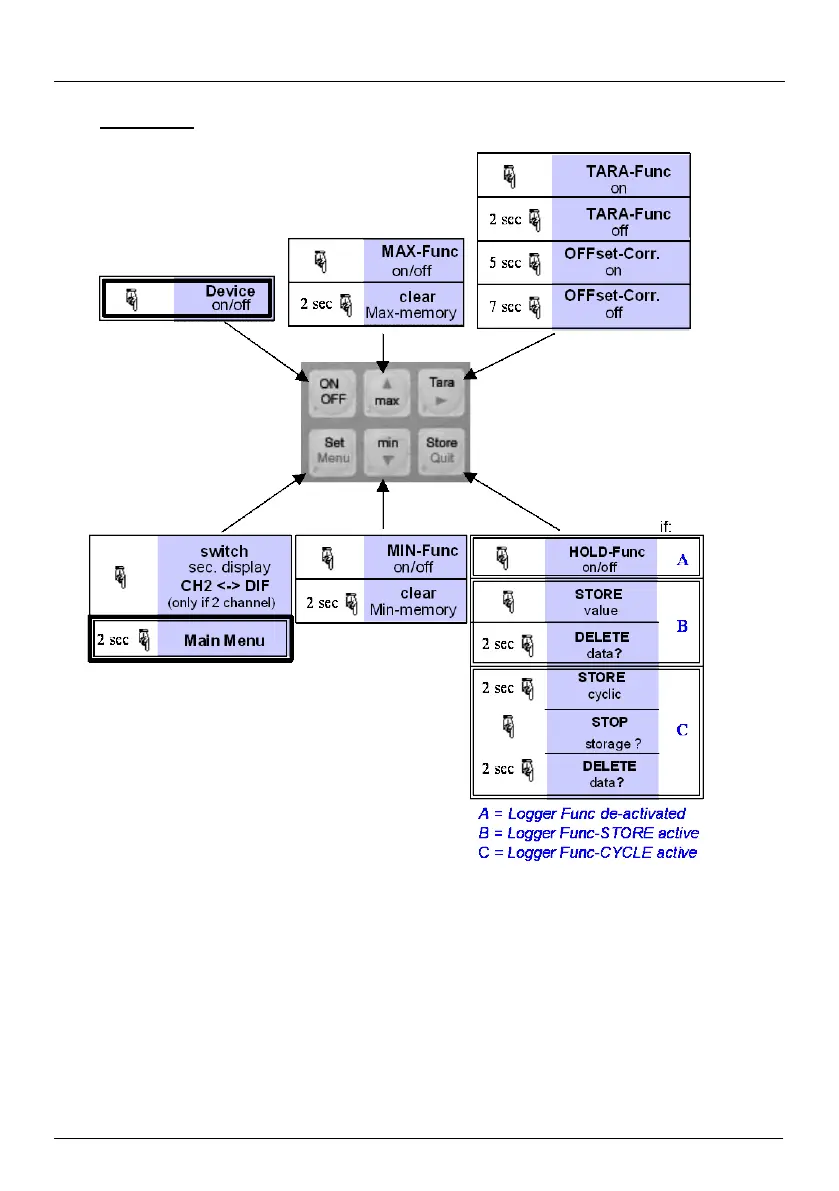
4 Operation
= press button
2 sec
= hold button for 2 seconds
When switching on the device and the logger function is not off the time of the integrated clock
will shortly be displayed. If a zero point adjustment was carried out the display shows
shortly „nuLL Corr“.
After changing the battery the clock-setting menu is activated automatically (‚CLOC‘). Check the
clock and adjust, if necessary (see topic 5.10).


 To Next Page