Need help?
Do you have a question about the Tecsis DC400 Series and is the answer not in the manual?
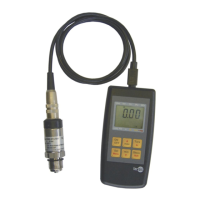
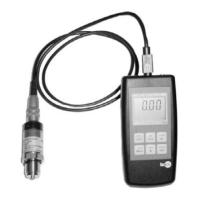
Defines the applicability of the instructions to DC400 series digital manometers, distinguishing between P3961 and P3962 models.
Details on connecting the digital manometer to the pressure tapping point, including torque specifications for connections.
Explains how the minimum and maximum measured values are updated, displayed, and reset.
Describes the bar graph display, its trend indication, and the function of the trailing pointer.
Covers password entry, status checking, and changing the password for programming.
Allows selection of measuring units (bar, PSI, MPa).
Configuration and activation of the tare function for zero adjustment.
Setting for display illumination: ON/OFF, duration after key press.
Configuration of automatic device switch-off time in minutes.
Option to reset all parameters to factory default settings.
Function to save all configured parameter settings.
Details two methods for activating the tare function on the P3962 model.
Details on models P3961 and P3962, including digit count and display type.
Specifications for measurement accuracy and conversion rate.
Specifies the measuring ranges available for the devices.
Information on the maximum pressure the device can withstand.
Lists materials used for parts in contact with the measured medium.
Details the types of pressure connectors available.
Specifies the annual stability deviation under reference conditions.
Details memory function and settable programming parameters like password and tare.
Information on display illumination and voltage supply with operating life.
Specifies the operating temperature range for compensation.
Details the effect of temperature on zero point and measuring range.
Information on the device's protection against dust and water ingress.
Compliance with standards for emitted interference and noise immunity.
Specifies temperature ranges for storage, material measured, and environment.
Details the housing material and approximate weight of the device.
 General
| Case Material | Stainless steel |
|---|---|
| Material | Stainless steel |
| Accuracy Class | 0.5 |
| Ingress Protection | IP65 |
| Accuracy | ±0.5% FS |
| Output Signal | 4...20 mA |
| Supply Voltage | 10 ... 30 V DC |
| Operating Temperature | -20...80°C |
| Protection Class | III |


 To Next Page