Personal Climber Owner’s Manual Page 19
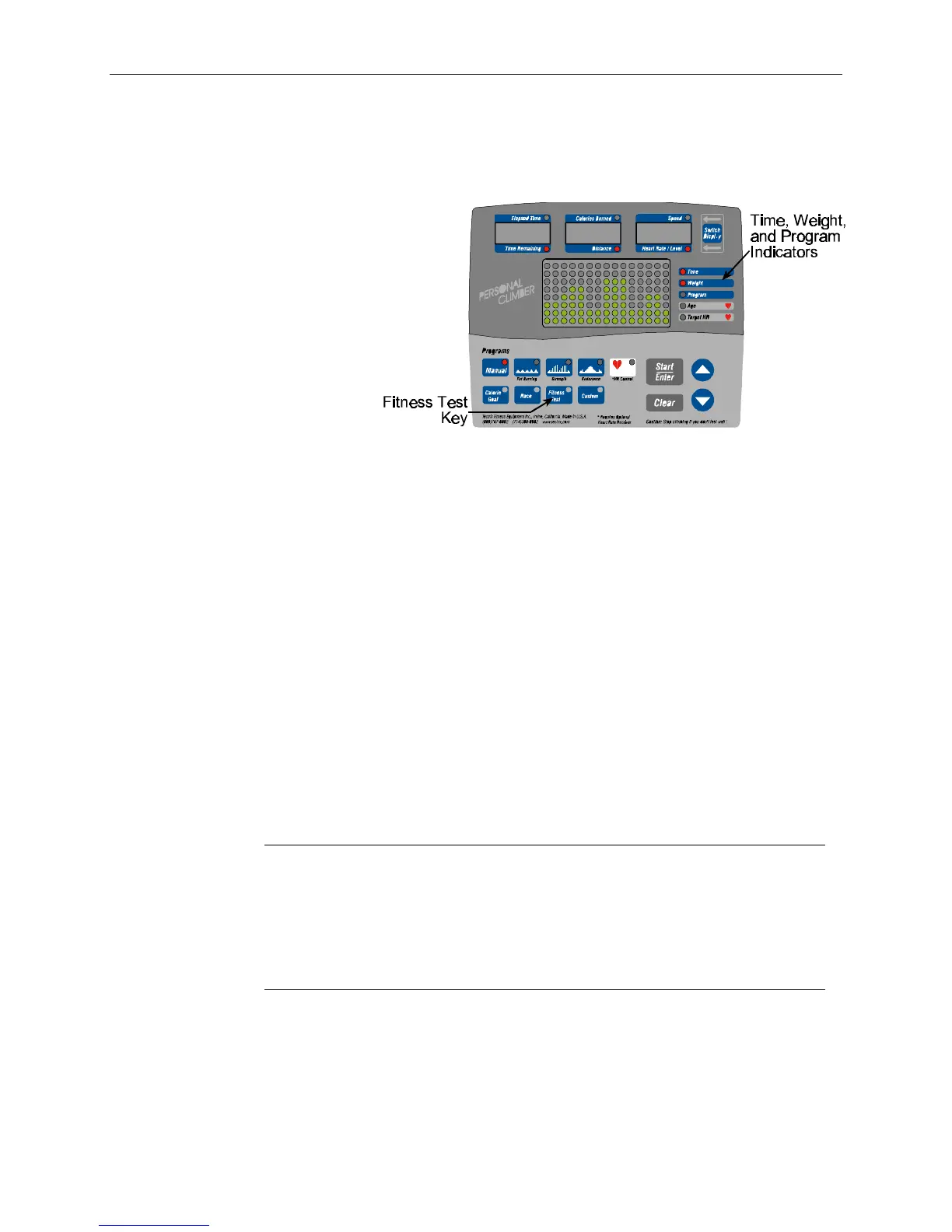
To start the fitness test:
1. Get on the Personal Climber.
2. Press the Fitness Test key.
1. The light next to
“Weight” now
flashes, and the
console shows the
last weight entered.
You can use the
arrow keys to
change this to your
correct weight. The
Personal Climber
uses this to
calculate how many calories you burn during your workout, so be sure to allow for your
clothing and shoes. In general, add about five pounds to your base weight to get an
accurate reading. Press Enter.
2. The light next to “Age” flashes. Use the up and down arrow keys to set your age. Press
Enter.
3. The display then shows “Sex = Male.” If you are a woman, press the up arrow to show
“Female.”
4. Press Enter.
This starts the test. You cannot change the speed setting during the test. The display is the same as
described in “The Workout Display” in Chapter 3.
At the end of the test, Personal Climber displays your estimated VO
2
Max, as described above. Use
the following table to interpret your score:
Fitness Classifications
Age Low Fair Average Good High
Women
20-29 < 24 24-30 31-37 38-48 49+
30-39 < 20 20-27 28-33 34-44 45+
40-49 < 17 17-23 24-30 31-41 42+
50-59 < 15 15-20 21-27 28-37 38+
60-69 < 13 13-17 18-23 24-34 35+
Age Low Fair Average Good High
Men
20-29 < 25 25-33 34-42 43-52 53+
30-39 < 23 23-30 31-38 39-48 49+
40-49 < 20 20-26 27-35 36-44 45+
50-59 < 18 18-24 25-33 34-42 43+
60-69 < 16 16-22 23-30 31-40 41+


 To Next Page