EasyManua.ls Logo

Tectro TP 2520 - User Manual

Tectro TP 2520
168 pages
Go to English
Print Icon
To Next Page IconTo Next Page
Loading...
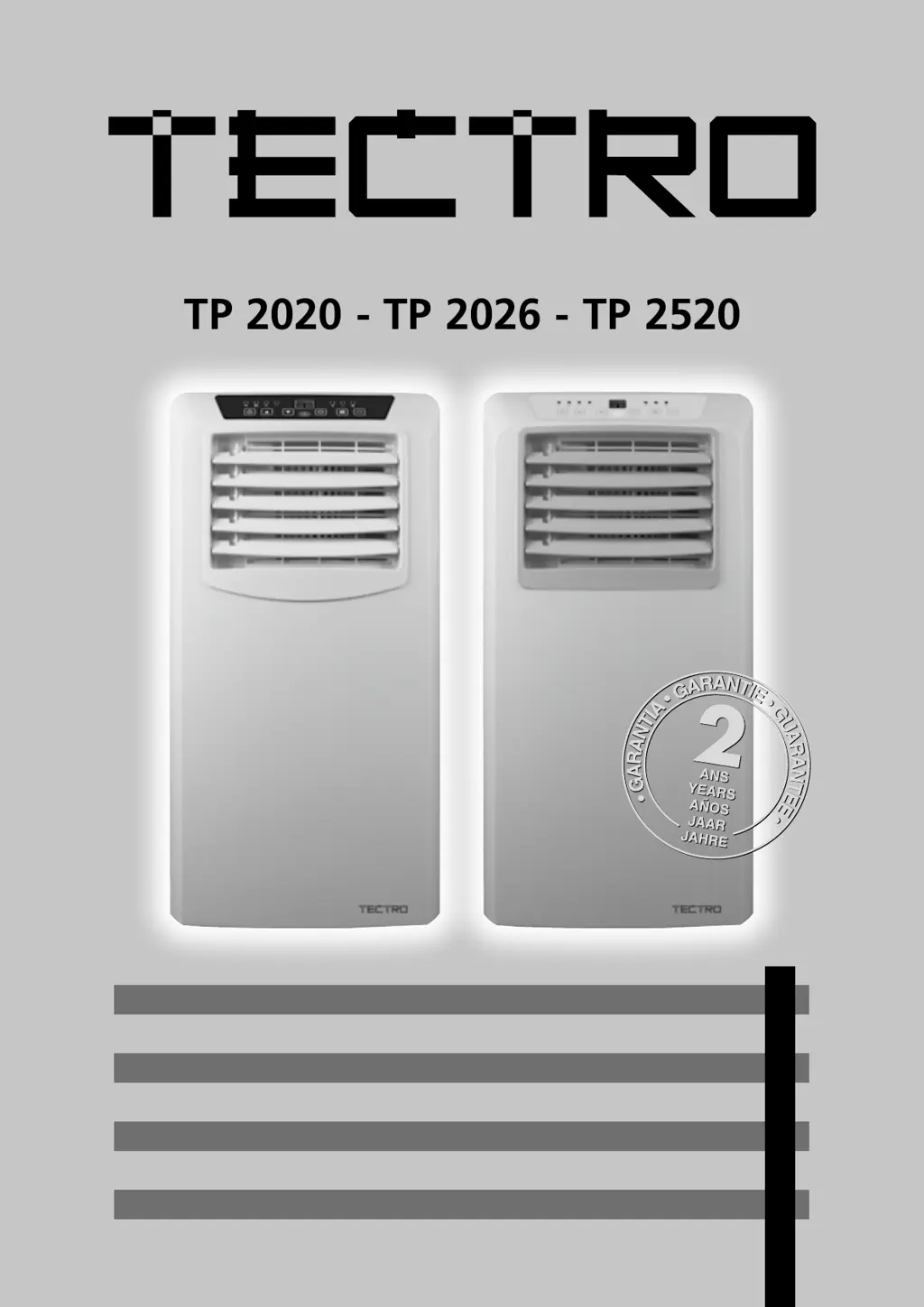
TP 2020 - TP 2026 - TP 2520
2
5
3
4
>
1
9
y
GEBRAUCHSANWEISUNG
INSTRUCCIONES DE USO
MANUEL D’UTILISATION
OPERATING MANUAL
ISTRUZIONI D’USO
GEBRUIKSAANWIJZING
MANUAL DE INSTRUÇÕES
PRIROČNIK ZA UPORABO
12
28
42
56
70
86
100
114

Questions and Answers

  • M
    Mr. William TurnerAug 18, 2025
    Why is my Tectro TP 2520 not performing well?
    • M
      Mary Walters DDSAug 18, 2025
      Several factors can impact the performance of your Tectro Air Conditioner. Check the following: * Ensure curtains are closed to block direct sunlight. * Close any open windows or doors. The unit may struggle if there are many people in the room or a heat source is present. Consider adding another air conditioner. * Clean the filter if it's dirty. * Make sure that neither the air inlet nor the air outlet is blocked. * Adjust the temperature setting if the room temperature is already lower than the set value.
  • J
    James SharpAug 20, 2025
    What to do if my Tectro TP 2520 remote control is not working?
    • J
      Jonathan HarmonAug 21, 2025
      If your Tectro Air Conditioner remote control isn’t working, try these steps: * Ensure that you are within 5 meters of the control panel and that the remote is aimed correctly. * Replace the batteries with new ones.
  • S
    Sara JuarezAug 23, 2025
    Why is my Tectro TP 2520 Air Conditioner so noisy?
    • D
      David KingAug 23, 2025
      There are a couple of reasons why your Tectro Air Conditioner might be making noise: * If the unit is standing on an uneven surface, place it on an even surface to reduce vibrations. * The sound might be due to the refrigerant circulating inside the unit, which is normal.
  • A
    Ashley SmithAug 26, 2025
    What to do if the compressor on my Tectro Air Conditioner doesn't work?
    • C
      caleb79Aug 26, 2025
      If the compressor on your Tectro Air Conditioner isn't working, it's possible that the overheat protection has been activated. Wait 3 minutes to allow the temperature to decrease, and then try turning the unit on again.
  • M
    Michael WilliamsAug 28, 2025
    What does E2 mean on my Tectro TP 2520 display?
    • P
      Patricia WellsAug 28, 2025
      If your Tectro Air Conditioner display shows 'E2', it means the reservoir is full. Empty the reservoir.
  • J
    Jared HarveyAug 31, 2025
    What does E0 mean on my Tectro TP 2520 display?
    • E
      Elizabeth SilvaAug 31, 2025
      If your Tectro Air Conditioner displays 'E0', it indicates that the room temperature sensor is not working. You can replace the room temperature sensor, but the unit will still function even if the sensor is not replaced.
  • J
    Jenny CisnerosSep 2, 2025
    How to fix a Tectro TP 2520 that won't turn on?
    • C
      Christine BrownSep 2, 2025
      If your Tectro Air Conditioner isn't turning on, make sure it's properly connected to a functioning outlet and switched on.
  • T
    taylortonySep 4, 2025
    What to do if the Tectro Air Conditioner remote control does not function?
    • Z
      zachary55Sep 4, 2025
      If the Tectro Air Conditioner's remote control isn't working, ensure that you are within 5 meters of the control panel and pointing the remote directly at it. If that doesn't solve the issue, try replacing the batteries.
  • M
    Martin OrtizSep 7, 2025
    Why does my Tectro Air Conditioner not seem to perform well?
    • T
      Thomas FreemanSep 7, 2025
      If your Tectro Air Conditioner isn't performing as expected, several factors could be at play. Make sure that the filter is clean. Check if the air inlet or outlet is blocked and remove any obstructions. Ensure that the room temperature isn't lower than the temperature you've set on the unit. Close curtains if the unit is in direct sunlight. Also, close any open windows or doors, and consider whether there are too many people or heat sources in the room, which might require an additional air conditioner.
  • S
    Sarah ChandlerSep 9, 2025
    What to do if my Tectro Air Conditioner display shows E2?
    • A
      Anthony ManningSep 9, 2025
      If the display of your Tectro Air Conditioner shows 'E2', it means the reservoir is full. You should empty it.

Summary

Important Components

Safety Instructions

Repairing Appliances with R290 Refrigerant

General Instructions

General instructions for safe repair and maintenance of appliances.

Area Checks and Work Procedure

Safety checks before work and details of the work procedure.

Installation

Placement Warnings

Warning regarding initial placement and operating environments.

Installation Notes

Important notes on unit placement, air circulation, and exhaust hose.

Operation

Control Panel Overview

Description of the control panel buttons and indicators.

Operating Modes

How to switch on the unit and select operating modes.

Air Filter and Air Flow

Air Filter Maintenance

How to clean and maintain the air filter for optimal performance.

Adjusting Air Flow

How to adjust the air vent louvres for desired air flow direction.

Maintenance and Storage

Emptying Water Container

Procedure for emptying the internal water container when full.

General Maintenance

Guidelines for cleaning the appliance and filters safely.

Storage Instructions

How to store the unit properly after use.

Troubleshooting

Unit Functionality Issues

Solutions for unit not functioning or performing issues.

Remote Control and Display Errors

Troubleshooting remote control problems and display error codes.

Guarantee Conditions

Technical Data

Tectro TP 2520 Specifications

General IconGeneral
TypeMonobloc mobile air conditioner
Air filterYes
Noise level59.8 dB
Number of speeds2
Airflow (high speed)250 m³/h
Refrigerating mediumR290
Cooling capacity (max)- BTU/h
Dehumidifying capacity1.58 l/h
Cooling temperature range16 - 31 °C
Refrigerating medium weight140 g
Suitable for room volume up to65 m³
Cooling capacity in watts (max)- W
Cooling energy efficiency (EER, W/W)2.6
Current3.5 A
AC input voltage220 - 240 V
AC input frequency50 Hz
Energy efficiency class (heating)-
Annual energy consumption (cooling)- kWh
Hourly energy consumption (cooling)0.785 kWh
Weight and Dimensions IconWeight and Dimensions
Depth280 mm
Width330 mm
Height680 mm
Weight18000 g

Related product manuals