4
121
4. Push the On/off button . The operation lamp lights and the air conditioner starts to operate as per
your settings. Push the On/off button again to stop this unit operation.
DRY Operation
1. Push the Mode button to select DRY.
2. Push the p or q button ( and ) to set the desired temperature.
3. Push the On/off button . The operation lamp lights and the air conditioner starts to operate in the DRY
mode. Push the On/off button again to stop this unit operation.
TIMER Operation
Push Timer on/off button ( and ) to set the on and off times of the unit. The effective operation time
set by the remote controller for the timer function is limited to a period of between 0.5 and less than 24
hours.
1. To set the STARTING time.
1.1
Push the Timer on button , then the remote controller display shows ON TIMER, the last set time for
the starting operation and the signal "h" will be shown on the Timer display area. You are now ready
to reset the time to START the operation.
1.2
Push the Timer on button again to set desired unit start time.
1.3
After setting the Timer on ,there will be half a second delay before the remote controller transmits the
signal to the air conditioner.
2. To set the STOPPING time.
2.1
Push the Timer off button and the remote controller display will show OFF TIMER and the last set
time for the timer off operation in hours will be shown on the Timer display area. You are now ready
to reset the time of the STOP operation.
2.2
Push the Timer off button again to set the time you want to stop the operation.
2.3
After setting the Timer off, there will be half a second delay before the remote controller transmits the
signal to the air conditioner.
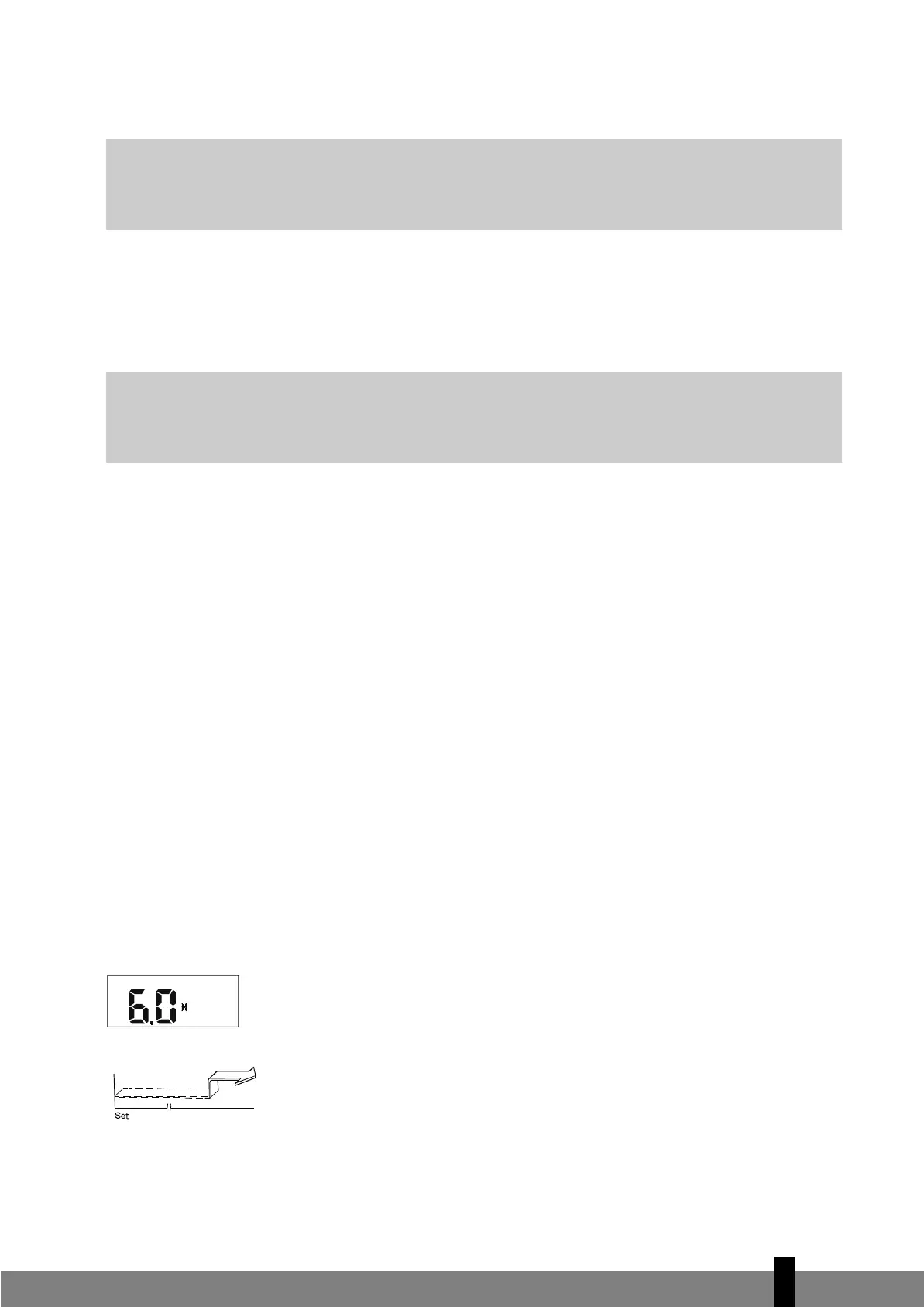
Example of timer setting
To start the air conditioner in 6 hours.
1. Press the TIMER ON button, the last setting of starting operation time and the sig-
nal "h" will show on the display area.
2. Press the TIMER ON button to display "6:0h" .
3. Wait for one second and the digital display area will show the temperature again.
The "TIMER ON" indicator remains on and this function is activated.
Combined timer
(setting both ON and OFF timers simultaneously)
G
NOTE!
Due to the difference of the set temperature of the unit and the actual indoor temperature, the
air conditioner when in DRY mode will automatically operate many times without running the
COOL and FAN mode.
G
NOTE!
The FAN ONLY mode cannot be used to control the temperature. In this mode, only steps 1, 3 and
4 are applicable.
man_TSCS226_TSCS232_TS226.qxd7:man 22-02-11 15:56 Page 121


 To Next Page