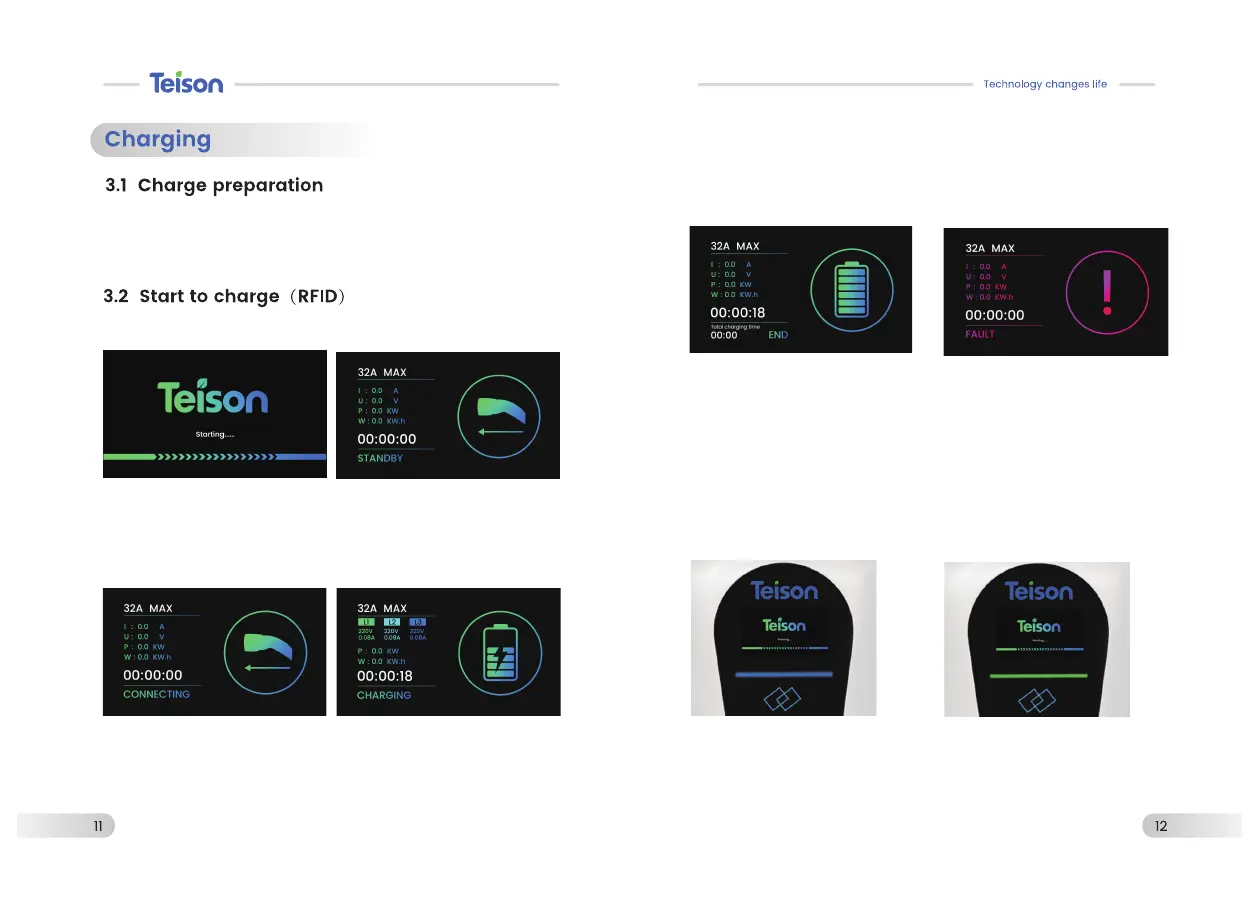
Connect power to enter the
starting page.
Enter “Connecting”mode once
plug connection is confirmed
Swipe the card to enter
“Charging”mode, the screen
shows the power, voltage,
charging current, Kwh ,charging
time and status.
3.3 LCD Display
Prompt to connect your charging
cable when it’s in the standby
status.
Users can choose three ways to
stop charging:
1. The charger will detect the
cars battery is fully charged.
2. Swipe the RFID card on
charger, charging will stop.
3. . Cut power to the charger.
After plug in,follow on screen prompts
Fault mode: see page 14
CONNECTED
Green light is on constantly
Blue light is on constantly
STANDBY


 To Next Page