13
ENGLISH
Manual use of the oven
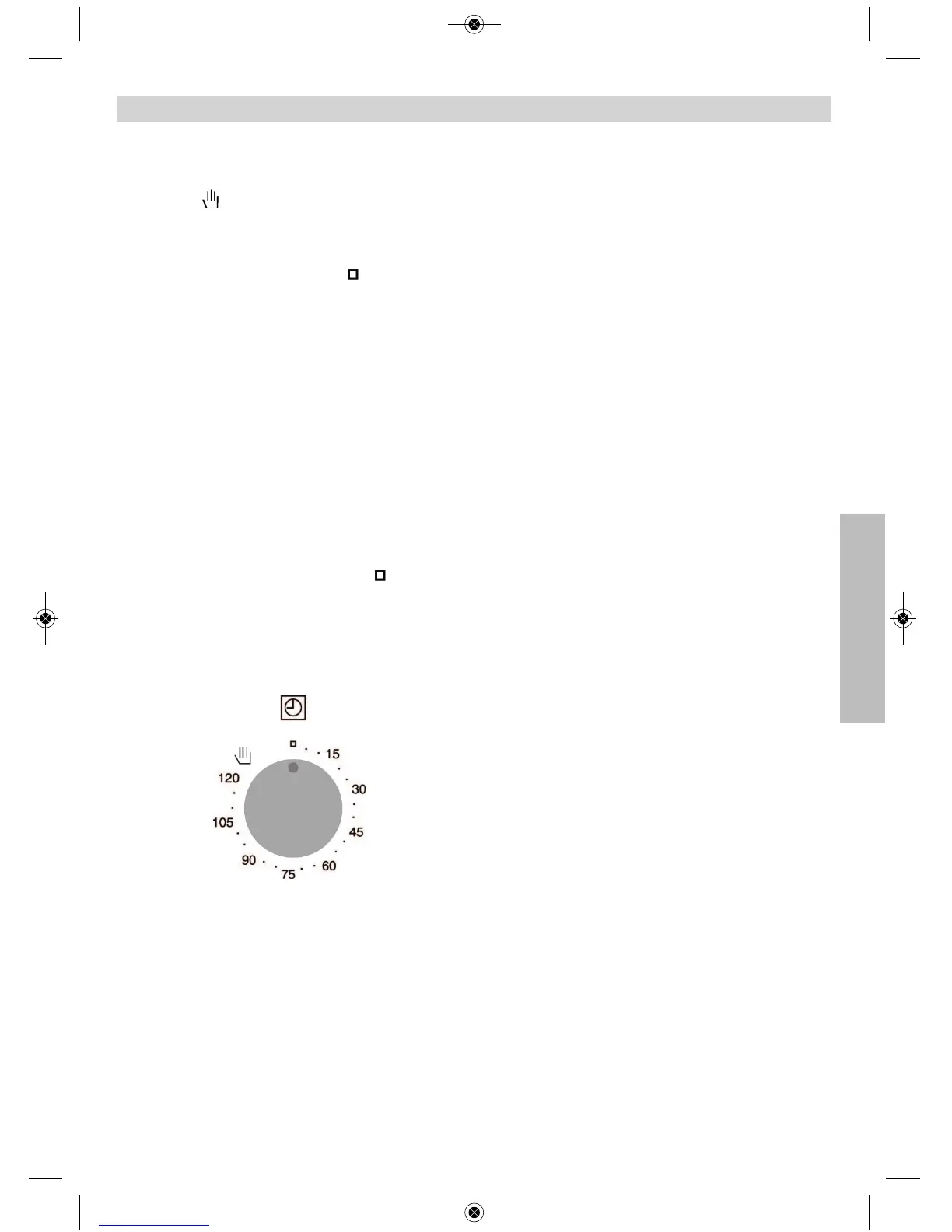
1 Turn the timing switch to the left to the
position .
2 Select a temperature and a cooking
function.
3 Set the controls in position to switch off
the oven.
Using the timer switch
Allows cooking during a pre-established time.
To do this,
1 Select the function and the cooking
temperature.
2 Turn the timer control clockwise as far as the
position “120 minutes” and then turn it
backwards to the required cooking period.
3 When the time has finished, there will be an
acoustic signal and the oven will stop
heating.
4 Set the controls to the position to switch
off the oven.
Use of the Oven


 To Next Page