EasyManua.ls Logo

Teka RBF 78720 - User Manual

Teka RBF 78720
14 pages
Print Icon
To Next Page IconTo Next Page
Loading...
Service Manual
MSFR19010 EN
(December 2019)
Related models:
RBF 78720
RBF 78630
RBF 74620
Question and Answer IconNeed help?

Do you have a question about the Teka RBF 78720 and is the answer not in the manual?

Summary

Introduction

General Description

Control Panel

Control Panel Layout and Indicators

Details the buttons, indicators, and sensors on the refrigerator's control panel.

Appliance Operation

General Operation and Settings

Explains temperature setting ranges and compressor behavior.

Special Operating Modes

Describes Holiday, ECO, Drink Cooling, and Demo modes.

Initial Startup and Defrosting

Covers the first power-on sequence and defrosting cycles.

Service Test Mode

Entering Service Test

Step-by-step guide to activate the service test function.

Service Test Functions and Indicators

Details functions accessible in service mode and their indicators.

Error Messages and Diagnostics

Error Code Reference

Lists error codes displayed and their corresponding meanings.

Sensor Failure Troubleshooting

Procedure for diagnosing and resolving sensor failures.

Wiring Diagrams

Wiring Diagram RBF 78630;74620

Electrical schematic for models RBF 78630 and 74620.

Wiring Diagram RBF 78720

Electrical schematic for model RBF 78720.

Refrigerant Circuit

Component Specifications

Temperature Sensor Resistance Values

Table of resistance values for temperature sensors at different temperatures.

Fan and Compressor Specifications

Details on supply voltage and power for fans and compressor.

Defrosting Element and Thermal Fuse

Specifications for defrosting elements and thermal fuse.

Summary

Introduction

General Description

Control Panel

Control Panel Layout and Indicators

Details the buttons, indicators, and sensors on the refrigerator's control panel.

Appliance Operation

General Operation and Settings

Explains temperature setting ranges and compressor behavior.

Special Operating Modes

Describes Holiday, ECO, Drink Cooling, and Demo modes.

Initial Startup and Defrosting

Covers the first power-on sequence and defrosting cycles.

Service Test Mode

Entering Service Test

Step-by-step guide to activate the service test function.

Service Test Functions and Indicators

Details functions accessible in service mode and their indicators.

Error Messages and Diagnostics

Error Code Reference

Lists error codes displayed and their corresponding meanings.

Sensor Failure Troubleshooting

Procedure for diagnosing and resolving sensor failures.

Wiring Diagrams

Wiring Diagram RBF 78630;74620

Electrical schematic for models RBF 78630 and 74620.

Wiring Diagram RBF 78720

Electrical schematic for model RBF 78720.

Refrigerant Circuit

Component Specifications

Temperature Sensor Resistance Values

Table of resistance values for temperature sensors at different temperatures.

Fan and Compressor Specifications

Details on supply voltage and power for fans and compressor.

Defrosting Element and Thermal Fuse

Specifications for defrosting elements and thermal fuse.

Overview

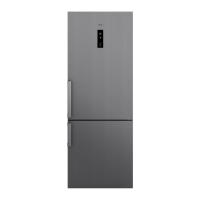
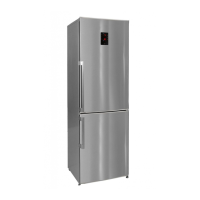
This document serves as a service manual for Teka RBF range refrigerators, specifically models RBF 78720, RBF 78630, and RBF 74620. These models are electronic no-frost refrigerators, designed to allow independent temperature adjustment for each compartment, ensuring no air flows between them.

Function Description

The Teka RBF refrigerators are designed to provide efficient and independent cooling for both the refrigerator and freezer compartments. The core functionality revolves around maintaining precise temperatures in each section, preventing frost buildup, and offering various operational modes to suit different user needs.

The compressor operates until both compartments reach their target temperatures. If the refrigerator compartment reaches its desired temperature before the freezer, a heater element in the refrigerator is activated to prevent excessive cooling, ensuring that the compressor can continue running to cool the freezer without over-chilling the refrigerator.

The refrigerant circuit involves a compressor, condenser, capillary tube, dryer, and two evaporators (one for the freezer and one for the refrigerator), each with its own fan. This setup facilitates the no-frost operation and independent temperature control.

Usage Features

The refrigerators are equipped with a control panel that allows users to manage and monitor various settings and modes.

Control Panel Elements:

  • Refrigerator Setting: Displays and allows adjustment of the refrigerator temperature.
  • Quick Cooling Mode Indicator: Illuminates when the quick cooling function is active.
  • Freezer Setting: Displays and allows adjustment of the freezer temperature.
  • Quick Freezing Mode Indicator: Illuminates when the quick freezing function is active.
  • Alarm Indicator: Alerts the user to potential issues or temperature deviations.
  • ECO Mode Indicator: Shows when the energy-saving ECO mode is engaged.
  • Holiday Mode Indicator: Indicates that the refrigerator is set to holiday mode.
  • Child Lock Indicator: Shows when the child lock feature is active.
  • Refrigerator Tª Sensor: Displays the current temperature in the refrigerator.
  • Freezer Tª Sensor: Displays the current temperature in the freezer.
  • "Mode" Sensor: Used to cycle through and select different operating modes.

Temperature Setting: To adjust the temperature in either compartment, the user first presses the sensor corresponding to that compartment to select it. Subsequent presses will cycle through the available temperature settings. Once the desired temperature is displayed, it is automatically saved after a few seconds.

Temperature Ranges:

  • Refrigerator: Adjustable from 2ºC to 8ºC.
  • Freezer: Adjustable from -16ºC to -24ºC.

Operating Modes:

  • Super Cooling Mode: Sets the refrigerator target temperature to 2ºC for rapid cooling.
  • Super Freezing Mode: Sets the freezer target temperature to -24ºC for quick freezing.
  • Holiday Mode: Optimizes energy consumption during extended absences by setting the freezer to -18ºC and the refrigerator to +16ºC.
  • ECO Mode: The control board intelligently manages internal parameters to minimize energy consumption. The display shows "E" when this mode is active.
  • Drink Cooling Mode: Allows the user to specify a duration for rapid cooling of beverages, after which the mode automatically deactivates.
  • Demo Mode: Designed for display purposes, this mode can be activated by simultaneously pressing the "M" and "Freezer Set" sensors for 5 seconds within the first 60 seconds of plugging in the refrigerator. It displays "de – On" every 10 seconds and persists through power outages until manually cancelled using the same activation steps.

First Start-Up Sequence: Upon initial power-up, if the defrost sensor detects a temperature above -5ºC, the refrigerator initiates a sequence: the compressor and fan run for 5 seconds, followed by the defrost element and refrigerator heater element also running for 5 seconds. After this, the refrigerator pauses for 5 minutes before commencing normal operation. Settings are retained in memory after a power outage, eliminating the need for re-configuration.

Maintenance Features

The service manual outlines various diagnostic and maintenance features, including a service test mode and error message interpretations, to assist technicians in troubleshooting and repair.

Service Test Mode: To enter service test mode, the user must press and hold the "Freezer Set" sensor while opening and closing the refrigerator door three times. After a 3-second delay, the service test is launched. If any component has failed, an error message will be displayed; otherwise, the display remains blank. While in service test mode, an audible "beep" sounds every 5 seconds, and the Child Lock LED blinks. The "M" sensor is used to navigate through different functions within this mode.

Service Test Functions:

  • Starting Mode (M button once): The Eco icon blinks, and the number of controlled components is shown on the freezer display. The Eco icon turns off when the test completes, returning to the initial service mode.
  • Manual Defrost (M button twice): The Holiday icon blinks. Defrost can be manually or automatically initiated. Manual defrost can be completed using the cooling set button. The Holiday icon turns off when defrost ends, returning to service mode. Automatic defrost follows standard defrost timing.
  • Motor Damper Control Mode (M button 3 times - only for models with damper): The Fast Cooling icon blinks. This function is inactive if the product does not have a damper. The SC icons turn off, and the display returns to service mode.
  • Current Temperature Values Indicator (M button 4 times): The Fast Freezing icon blinks. Pressing the "Freezer set" sensor displays current values for:
    1. Refrigerator's sensor.
    2. Freezer's sensor.
    3. Defrosting sensor.
    4. Ambient sensor (not available in these models).
    5. Refrigerator's defrosting sensor. Touching the cooler set icon manually finishes the function. The Fast Freezing icon turns off, and the display returns to service mode.
  • Door Switch Control (M button 5 times): No icons are displayed. The cooler set segment provides information about the cooler door status. This mode can only be deactivated by the cooler set button.

Error Messages: The manual provides a comprehensive table of error messages, displayed as "SR" followed by a code (e.g., FE01, FF12), and their corresponding descriptions. These messages indicate specific component failures or operational issues.

Sensor Failure Troubleshooting: If a sensor failure is indicated, technicians are advised to:

  1. Check the wiring and connections between the sensor and the control board.
  2. Measure the ohmic value of the sensor and compare it against the provided table in the manual. If the sensor is "open" (infinite resistance) or "short-circuited" (zero resistance), it must be replaced.
  3. If wiring and sensor values are correct, the control board should be replaced.

Alarm Suppression Conditions: To prevent false alarms, error messages are not displayed under specific conditions:

  • Within 6 hours of plugging the appliance into the power supply.
  • During a defrost cycle.
  • Within 2 hours after a defrost cycle.
  • Within 2 hours after a door opening.

Defrosting Cycles:

  • Freezer Defrosting: Activated after a minimum of 8 hours and a maximum of 55 hours of operation, depending on usage. The cycle concludes when the defrost sensor reaches 8ºC. If it takes longer than 37 minutes, the target temperature is set to 15ºC.
  • Refrigerator Defrosting: Initiates concurrently with the freezer defrost cycle, unless the sensor fails to detect +5ºC three times within 9 hours (with at least 5 hours of compressor runtime). The cycle ends when the sensor measures +7ºC.

Component Checks: The manual includes tables for checking temperature sensors, providing resistance values at different temperatures for both "Congelador y conservador" (freezer and refrigerator) and "Desescarche" (defrost) sensors. It emphasizes that sensors must be disconnected from the control board and their real temperature measured for accurate comparison.

This detailed overview ensures that technicians have the necessary information to diagnose, troubleshoot, and maintain the Teka RBF refrigerator models effectively.

Teka RBF 78720 Specifications

General IconGeneral
Door hingeRight
Control typeTouch
Product colorStainless steel
Reversible doorsYes
Shelves materialTempered glass
Appliance placementFreestanding
Noise level41 dB
Climate classSN-T
Total net capacity481 L
Total gross capacity510 L
Minimum operating temperature10 °C
Lamp typeLED
Fridge net capacity344 L
Number of vegetable drawers2
Multi-Airflow system (fridge)-
Fridge number of shelves/baskets4
Star rating4*
Freezer positionBottom-placed
Freezing capacity9 kg/24h
Freezer net capacity137 L
Freezer number of shelves/baskets3
Storage time during power failure24 h
Connected load- W
AC input voltage220 - 240 V
Energy efficiency scaleA to G
Annual energy consumption287 kWh
Weight and Dimensions IconWeight and Dimensions
Depth712 mm
Width700 mm
Height1920 mm

Related product manuals