Shenzhen Dawu Times Technology Co., Ltd
3/30 www.wiseupshop.com
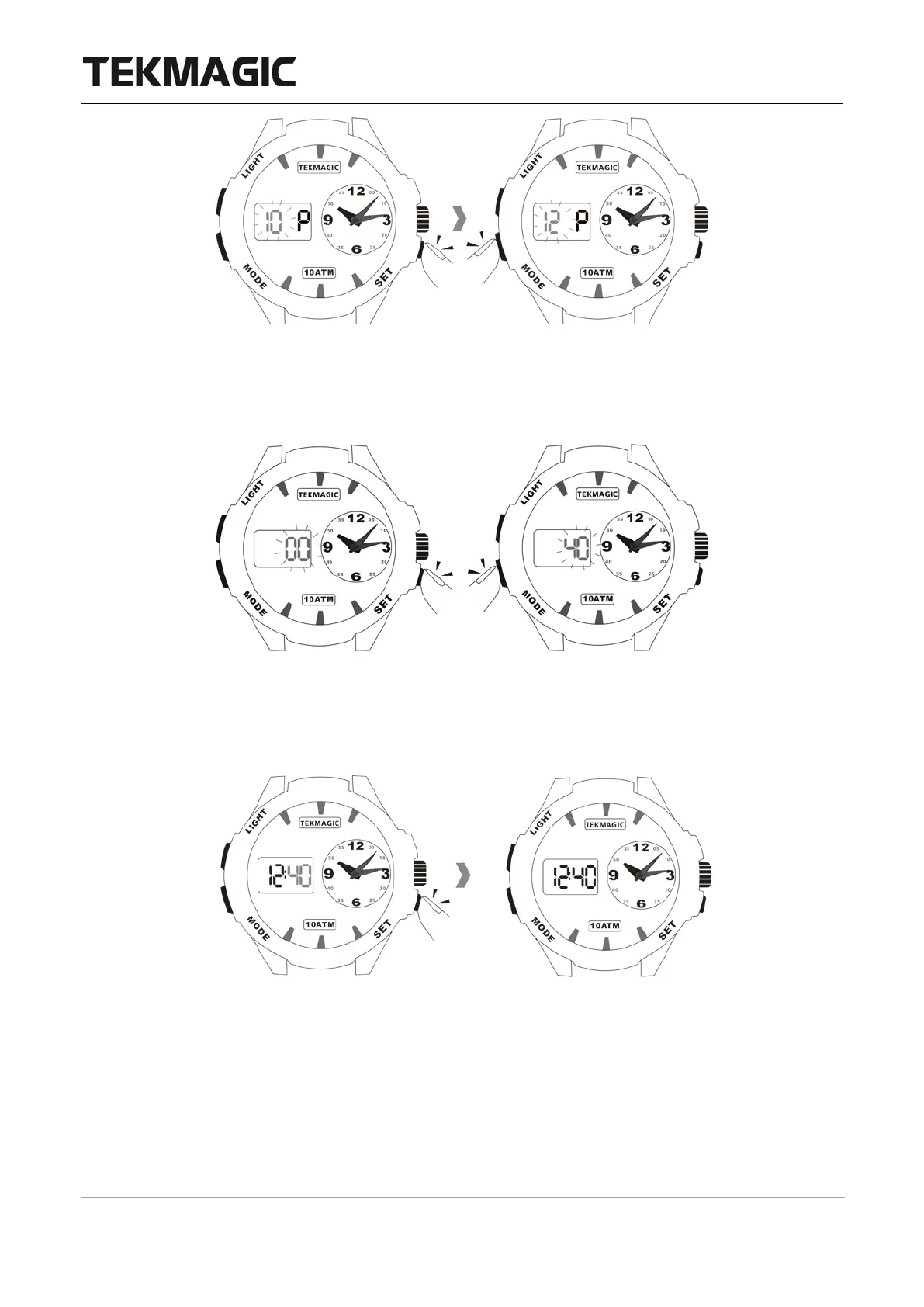
2.5 Press the SET button once, you will only see the minute digit, then press the MODE
button to set the minute.
2.6 Press the SET button to save all the settings, and the watch will go back to the local time
display mode.
III. Month and Date Check
Option 1: In the local time display mode, press the mode button once to check the month
and date.



 To Next Page