© 2009 D 263 - 03/09 30 of 36
SETTING THE TIME
Step One
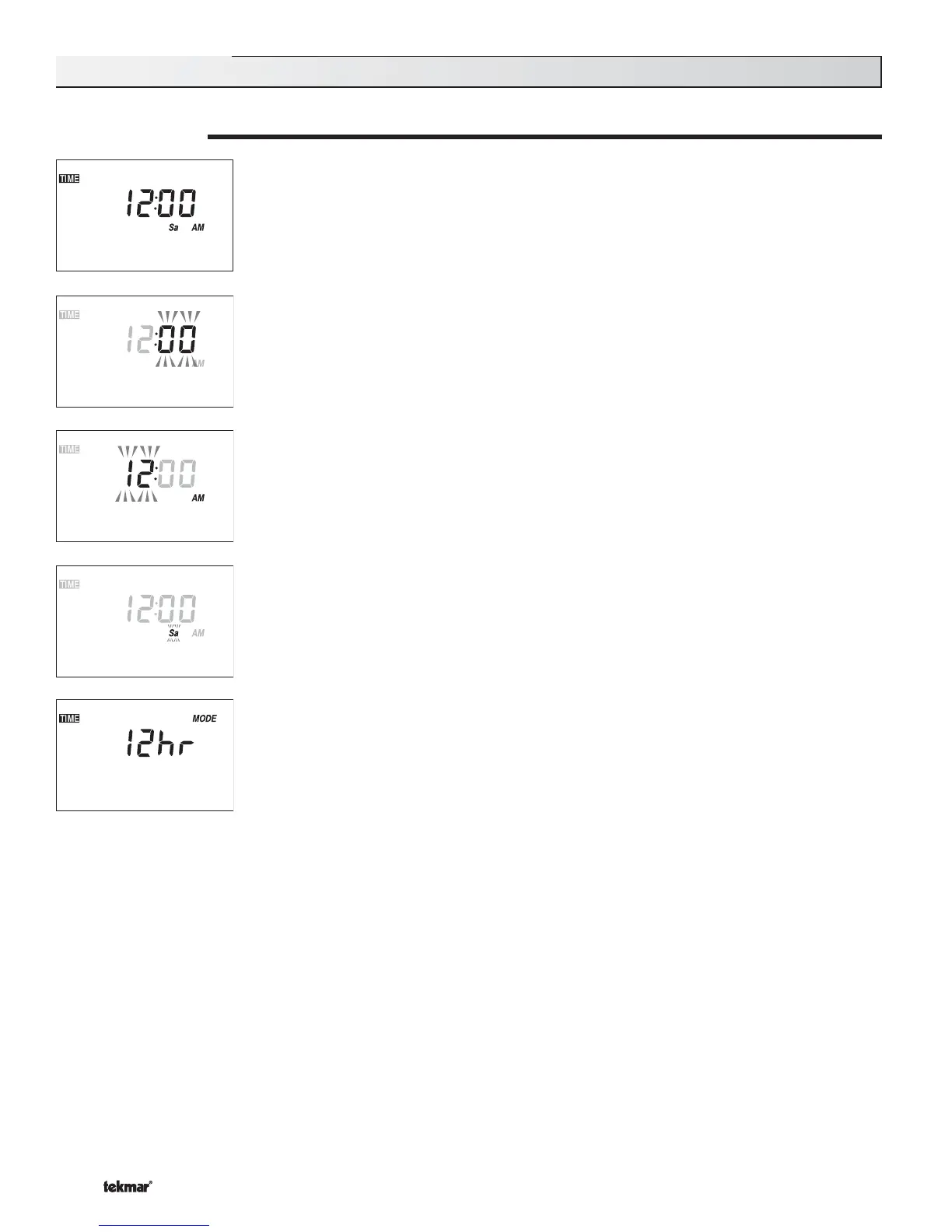
Press and release the Menu button until the TIME menu is reached.
Step Two
Press the Item button. While the minutes are flashing, use the ▲ or ▼ button to set the proper minutes.
Step Three
Press and release the Item button. While the hours are flashing, use the ▲ or ▼ button to set the
proper hour.
Step Four
Press and release the Item button. While the day is flashing, use the ▲ or ▼ button to set the
proper day.
Step Five (Only available in advanced access level.)
Press and release the Item button. Use the ▲ or ▼ button to select between 12 and 24 hour time.
Time Menu (1 of 1)
Note: The Setback / Off DIP switch must be in the Setback position in order to have access to the TIME menu.



 To Next Page