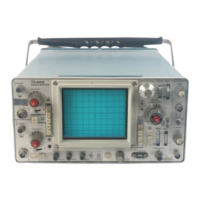
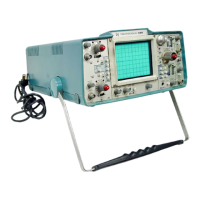
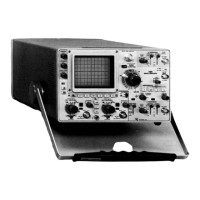
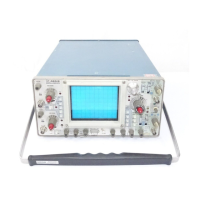
Calibration—475
PART I—PERFORMANCE CHECK
Introduction
The following procedure is intended to be used for
incoming inspection to determine the acceptability of
newly purchased or recently recalibrated instruments. This
procedure does not check every facet of the instrument's
calibration; rather it is concerned primarily with those
portions of the instrument which are essential to measure
ment accuracy and correct operation. Removing the instru
ment dust cover is not necessary to perform this procedure.
All checks are made from the front panel.
Outline for Part I—Performance Check
VERTICAL SYSTEM CHECK
1. Check Beam Finder Operation Page 5-6
2. Check Channel 1 and 2 Gain Switch Page 5-6
Balance
3. Check Channel 1 and 2 Variable Volts/ Page 5-6
Division Balance
4. Check Channel 2 Inverted Balance Page 5-7
5. Check Channel 1 and 2 Position Range Page 5-7
6. Check Channel 1 and 2 Gain Page 5-7
7. Check Add Mode Operation Page 5-7
8. Check Channel 1 and 2 Deflection Page 5-7
Accuracy
9. Check Channel 1 and 2 Variable Volts/ Page 5-8
Division Range
10. Check Alternate Mode Operation Page 5-8
11. Check Chop Mode Operation Page 5-8
12. Check Vertical Amplifier Bandwidth Page 5-8
13. Check Cascaded Bandwidth Page 5-9
TRIGGER SYSTEM CHECK
14. Check A Triggering
Page 5-9
15. Check B Triggering
Page 5-10
16. Check A Normal Mode Operation
Page 5-10
17. Check Single Sweep Operation
Page 5-11
18. Check Trigger View Operation
Page 5-11
HORIZONTAL SYSTEM CHECK
19. Check Variable Time/Division Range
Page 5-11
20. Check Timing Accuracy
Page 5-12
21. Check Delay Time Accuracy
Page 5-12
22. Check Delay Time Jitter
Page 5-13
23. Check Mixed Sweep Timing Accuracy
Page 5-13
24. Check X Gain
Page 5-13
25. Check X-Y Phasing and Bandwidth
Page 5-13
Preliminary Procedure for Performance Check
NOTE
The performance of this instrument can be checked
at any temperature within the 0°C to +40°C (+32°F
to +104°F) temperature range unless stated other
wise.
1. Connect the 475 to a power source that meets the
voltage and frequency requirements of this instrument.
2. Set the controls as given under Preliminary Control
Settings.
3. Allow at least 20 minutes warmup before proceeding.
®
5-5


 To Next Page