TEKTRONIX MANUAL CHANGE INFORMATION
Date: Mau 23, 19B3
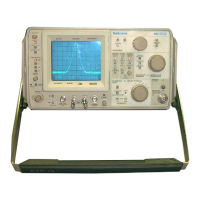
Product: 492/492P Spectrum Analu z er S ervi ce Vol. 1_
Manual Part No. : 070-37S3-01
Change Referenc e: C23/583
DESCRIPTION
TEXT CHANGES
ADD to Section 1. GENERAL INFORMATION AND SPECIFICATION, Page 1-18,
after the description for Option 08, before the description of
Option 20:
OPTION 11 (492P ONLY)
Provides front-panel automatic peaking for 492P's ordered with
Option 01, 02t 03, or 492P's with Option 01, 02, 03, 08.
ADD to Section 3, CALIBRATION-Performance Check, Page 3-7, before
the end of the functional check of front-panel controls and
pushbuttons, after EXTERNAL MIXER/PEAKINO:
492P Option 11 Only. AUTO PEAK/ EXT MIXER. Pressing AUTO PEAK
runs an automatic peaking routine once, then sets the peaking
setting to the value obtained. The manual PEAK knob is disabled.
The signal to be peaked must be within the center two horizontal
divisions. Connect a cable from the 2nd LO output to the RF
INPUT, and tune to the signal at 2182 MHz. Span douin to 10
MHz/DIV, and center the signal. Press AUTO PEAK and note that
PEAKING is displayed on the crt, and several sweeps are taken
with varying peaking settings. After a number of sweeps, the
normal readout returns, and the signal is peaked. Change the
frequency range to another band, then back to Band 2. Note that
the signal is still peaked.
Pressing SHIFT EXT MIXER will switch to the external mixer mode.
See the EXTERNAL MIXER/PEAKINO description. Note that AUTO PEAK
also works for external mixers.
ADD to Section 5, THEORY OF OPERATION. Page 5-63, at the end of
the second paragraph under Mixer Bias Driver:
492P Option 11 Only. The Programmable Bias, which sets external
ntixer bias, or preselector tracking, is set by the data loaded
into DAC U3022, by the microcomputer, or by the front-panel
MANUAL PEAK control. The MANUAL PEAK control is connected to the
input of U2018 when the 04 line of U4024 goes low and turns 03019
on. When MANUAL PEAK is selected, the DAC output is set for O ma
Page 1 of 1



 To Next Page