070-3783-01
492/492P Service Vol. 1
9-2-B3 Rev
Calibration - Adjustment Procedure
Page 3-58/ REPLACE the entire Step 8 with the following:
8. Baseline Leveling (Video Processor)
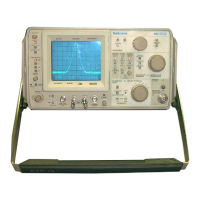
This procedure adjusts the baseline so Band 1 and 4 response
perturbations are offset to level the display.
a. Test equipment setup is shown in Fig. 3-35. The output of
the sweep generator is applied through a 3 db attenuator and high-
performance coaxial cable to a power divider. Connect one output of
the power divider directly to the RF INPUT of the 492/492P and the
other to the sensor for the power meter. Set the RF plug-in ALC switch
to the MTR position, and connect a coaxial cable between Recorder
Output of the power meter and the Ext ALC Input of the plug-in unit
on the sweeper. Set the Power Level to approximateIy -10 dBm, then
adjust the Gain on the unit for stable operation (output stops
oscillating).
b Set the FREQUENCY to 100 MHz, FREQ SPAN/DIV to 5 MHz, REF LEVEL
to -20 dBm, TIME/DIV to AUTO, and activate AUTO RESOLN and 2 dB/DIV.
c. Apply the CAL OUT signal to the RF INPUT, and adjust REF LEVEL
for an οπ-screen display of approximately 6 divisions. Note the signal
amp 1i tud e.
d. Remove the Calibrator signal and apply the output of the sweep
oscillator as shown in Fig. 3-35. Set the FREQUENCY to 1.8 GHz and
apply a 1.8 GHz signal at -20 dBm, from the Sweep Oscillator to the
RF INPUT. Note the amplitude of the 1.8 GHz signal. (It may be necessary
to switch to 10 dB/DIV mode to observe the signal.
e. Adjust Band 1 Slope R1012 so the signal amplitude equals that
of the 100 MHz reference. R1012 is located on the Video Processor board
next to high leveler adjustment R1013.
f. On the Video Processor board, pull the Leveler Disable plug,
P3035 'Fig. 3-36).
g. Set the FREQUENCY to 10 GHz, FREQUENCY RANGE to 5.4-18 0 GHz
(Band 4). FREQ SPAN/DIV to MAX, REF LEVEL to -10 dBm, and TIME/DIV to
10 ms. Activate 10 dB/DIV and AUTO RESOLN.
h. Gn the sweep oscillator, select a 5. 5 GHz cw marker and adjust
the output for a -10 dBm reading on the power meter.
i. Activate 2 dB/DIV, and adjust the REF LEVEL so the signal
amplitude is half screen. Adjust MANUAL PEAK for maximum response or
activate AUTO PEAK.
Page 2 of 4



 To Next Page