ALTERNATE PROCEDURE FOR 492P
NOTE
Instructions in parentheses refer to the 4040-Series
program as listed at the end of step 7 (Adjust 1st
Converter Bias). At the end of any programmed pro
cedure press the RETURN TO LOCAL button.
a. Adjust the 1 st LO Tune Sensitivity as follows:
1) Set the MIN RF ATTEN to 30 dB and apply 1 με
markers to the RF INPUT from the time mark gener
ator. Set the FREQ SPAN/DIV to 500 kHz and adjust
FREQUENCY to center one of the markers on screen.
2) Send: “INIT;FREQ 10M.SPAN 100k” to the 492P
over the GPIB bus.
3) Adjust the FREQUENCY control to center the marker
on screen, then send: “TUNE 5M; SIG; WAIT;TUNE
—5M;SIG;WAIT;RPT 1200’. This will repeat the ad
justment sequence for about two minutes. Send the
instruction again if necessary to complete the
adjustment.
(Press USER DEFINABLE KEY #4 to start the sequence
and press BREAK to stop the sequence.)
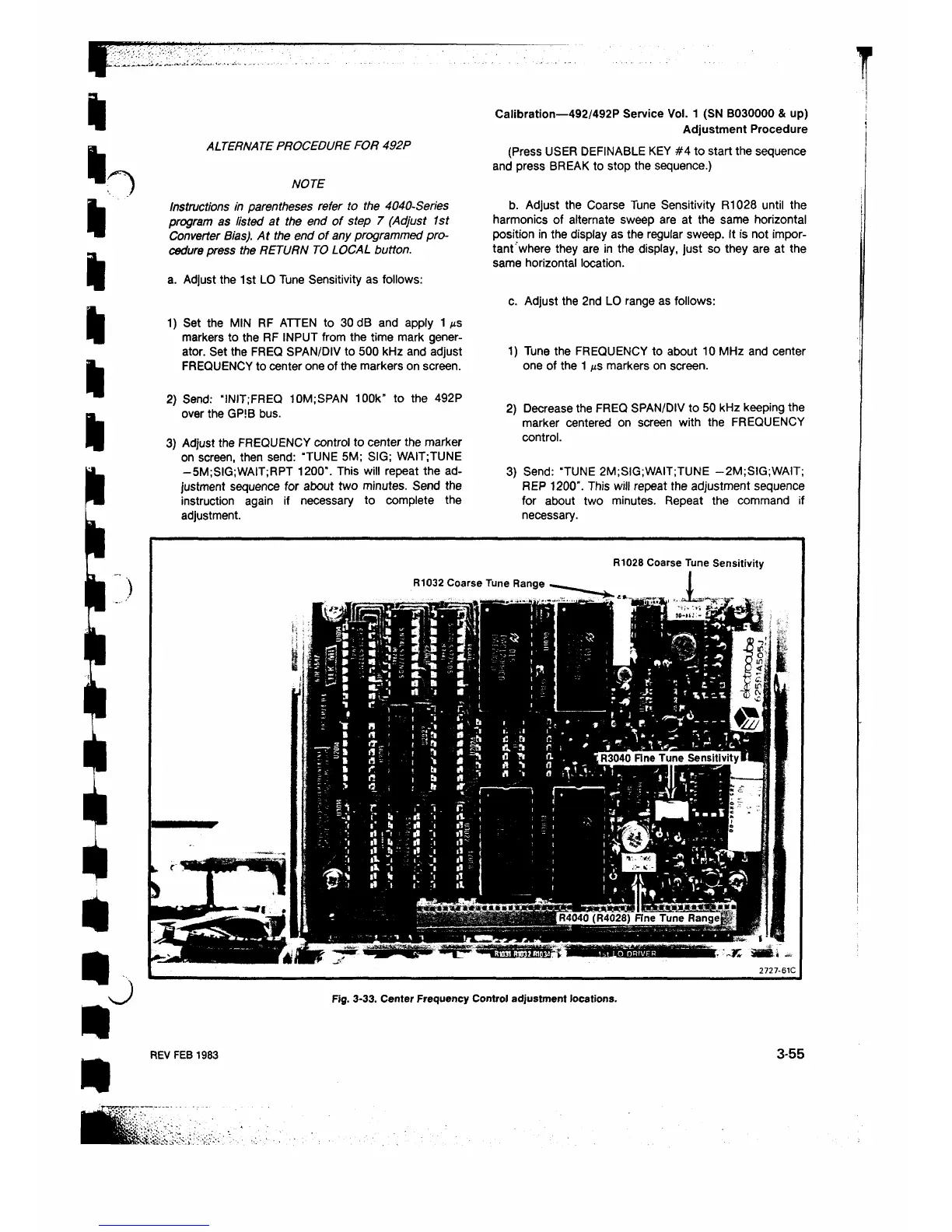
b. Adjust the Coarse Tune Sensitivity R1028 until the
harmonics of alternate sweep are at the same horizontal
position in the display as the regular sweep. It is not impor
tant where they are in the display, just so they are at the
same horizontal location.
c. Adjust the 2nd LO range as follows:
Calibration—492/492P Service Vol. 1 (SN B030000 & up)
Adjustment Procedure
1) Tune the FREQUENCY to about 10 MHz and center
one of the 1 μβ markers on screen.
2) Decrease the FREQ SPAN/DIV to 50 kHz keeping the
marker centered on screen with the FREQUENCY
control.
3) Send: “TUNE 2M;SIG;WAIT;TUNE -2M;SIG;WAIT;
REP 1200”. This will repeat the adjustment sequence
for about two minutes. Repeat the command if
necessary.
Fig. 3-33. Center Frequency Control adjustment locations.
REV FEB 1983 3-55












 To Next Page