Save and Recall I
nformation
Save
Setup
To File
Edit Labels
3. From the resul
ting side-bezel menu, select
the location to save the setup to or to recall
it from.
To save setup i
nformation to one of the ten
internal setup memories in the oscilloscope,
push the appropriate side-bezel button.
To save setup
informationtoaUSBor
network drive, push the To File button.
To Setup 1
To Setup 2
–more–
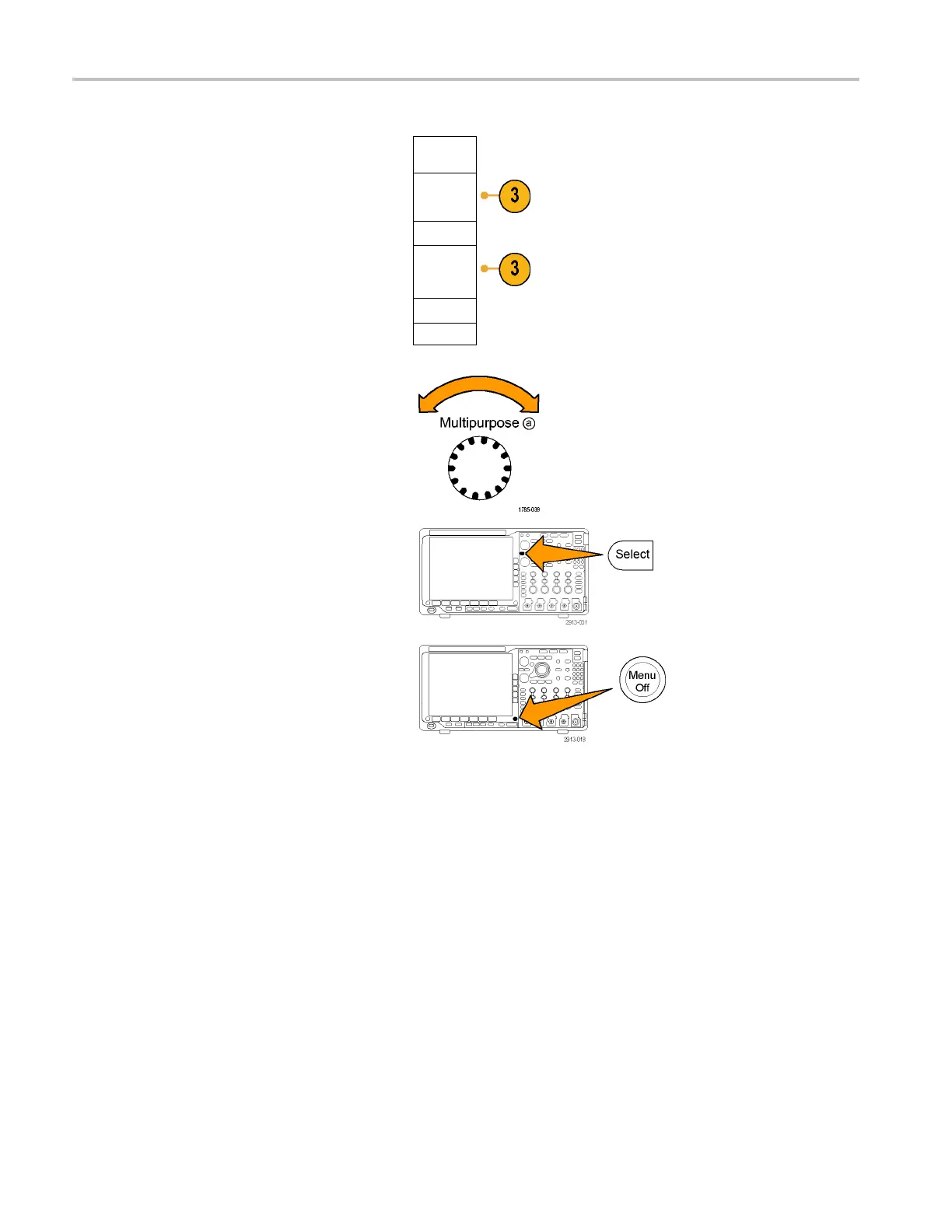
4. IfyouaresavinginformationtoaUSBor
network dr
ive, turn multipurpose knob a
to scroll through the file structure. (See
page 161, External file s tructur e .)
Push Select to open or close file folders.
Push the Menu Off button to cancel the
save operation, or push a side-bezel menu
Save to Selected File item to complete the
operation.
168 MDO4000 Series Oscilloscopes User Manual


 To Next Page
 Loading...