Tutorial
TDS 500C, TDS 600B, & TDS 700C User Manual
2–23
Observe that the frequency measurement appears within the right side of the
graticule area. The measurement readout includes the notation Ch1, meaning
that the measurement is taken on the channel 1 waveform. (To take a
measurement on another channel, select that channel, and then select the
measurement.)
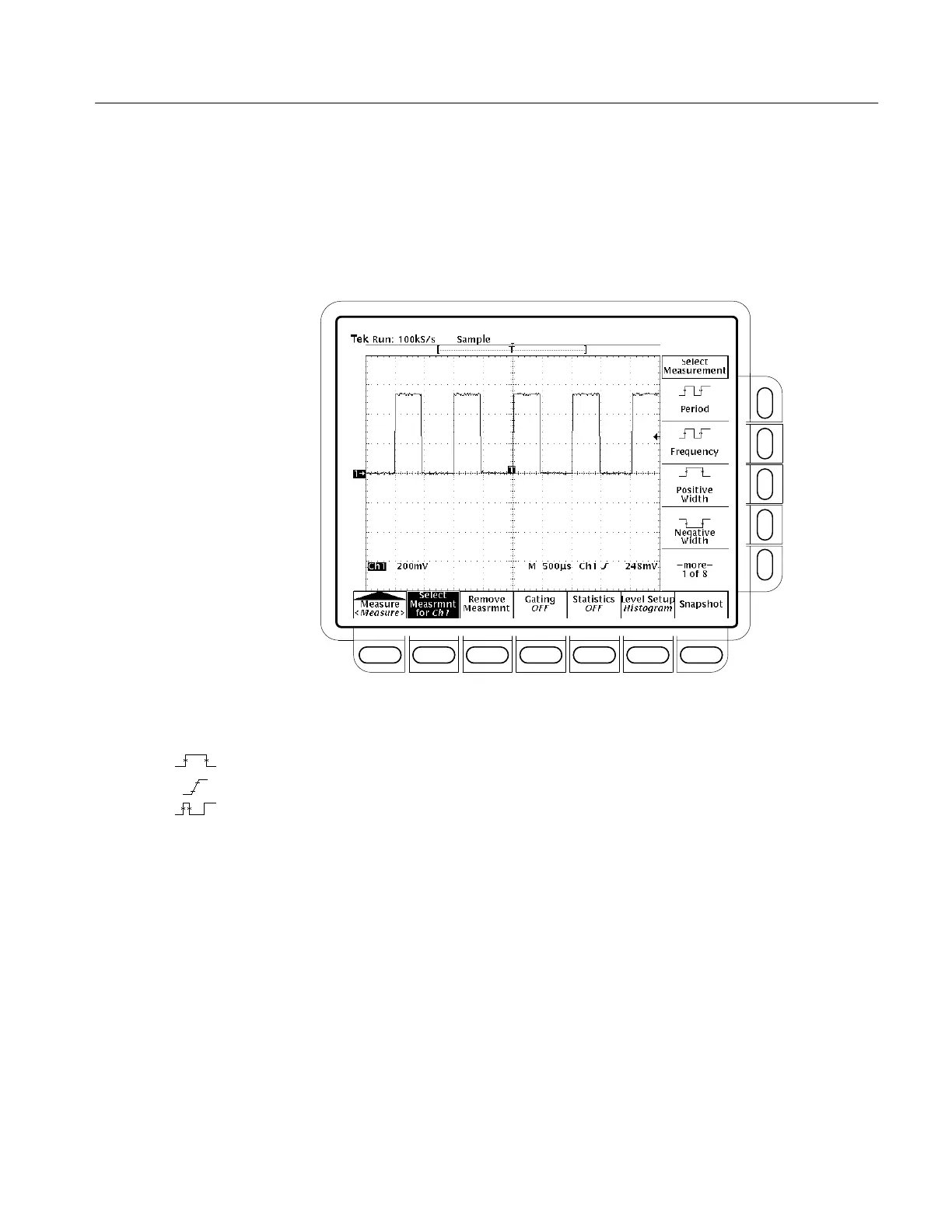
Figure 2–14: Measure Main Menu and Select Measurement Side Menu
8. Press Positive Width (side) ➞ –more– (side) ➞ Rise Time (side) ➞
Positive Duty Cycle (side).
All four measurements are displayed. Right now, they cover a part of the
graticule area, including the displayed waveforms.
9. To move the measurement readouts outside the graticule area, press CLEAR
MENU. (See Figure 2–15.)


 To Next Page
 Loading...