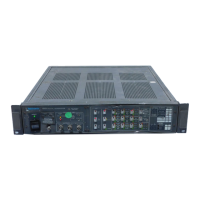
Acquisition Board Replacement
5
Installation Instructions
These instructions are for personnel familiar with servicing. If you need further
details for disassembling or reassembling the measurement set, refer to the
product service manual. For further assistance call your nearest Tektronix, Inc.,
Service Center or Tektronix Factory Service
.
CAUTION. To prevent static discharge damage, service the measurement set only
at an antistatic work station. Observe standard handling precautions for
static-sensitive devices while installing this kit. Always wear a grounded wrist
strap, grounded foot strap, and static resistant apparel while installing this kit.
Install
These installation instructions replace the Acquisition board in VM700T or
VM700A Video Measurement Sets w ith the VMTB or VMTX Turbo upgrade
installed.
1. Remove the screws at the rear edge of right- and left-side cover panels.
2. Remove both cover panels by sliding them carefully to the rear of the
measurement set and out of the chassis grooves.
3. Set the cover panels aside.
Cover Panel



 To Next Page
 Loading...