Installation Instructions
6
Acquisition Board Replacement
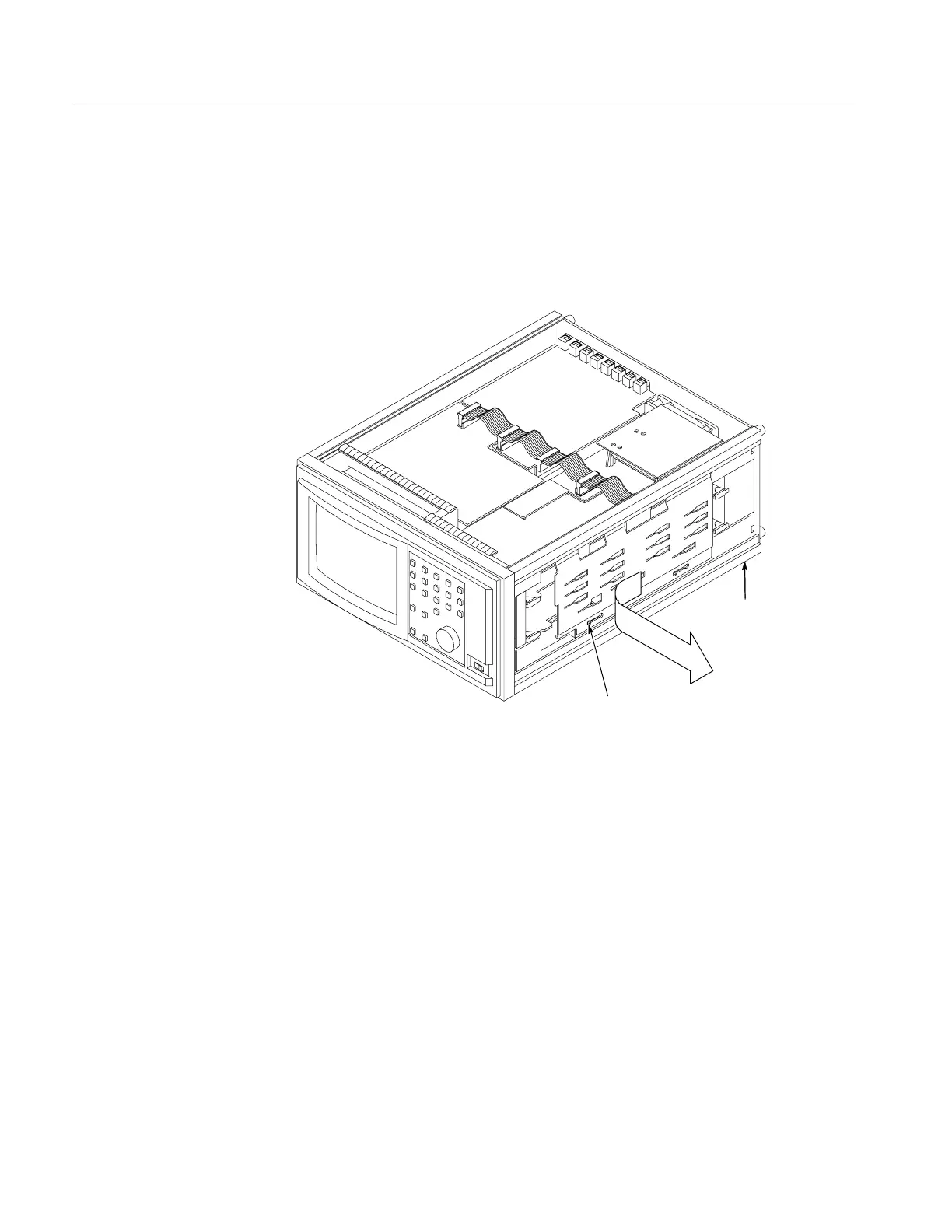
1. Loosen (but do not remove) two screws on the front of the circuit board
retainer plate as shown in Figure 1.
2. Remove the circuit board retainer plate by sliding it to the left until the screw
heads clear the slots.
3. Set the circuit board retainer plate aside.
Loosen screws (2), slide the
circuit board retainer plate to
the left, then remove.
Right side
Figure 1: Right card cage retainer plate removal
Circuit Board
Retainer Plate



 To Next Page
 Loading...