Need help?
Do you have a question about the Telcoma T201 and is the answer not in the manual?
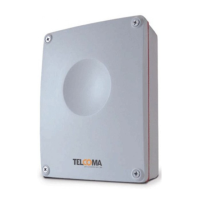
Details the components and terminals of the T201 control unit as shown in Fig. 1.
Lists the main features and capabilities of the T201 control unit, such as encoder inputs and torque adjustment.
Details electrical specifications like power supply, frequency, and maximum input.
Provides guidelines for professional installation, ensuring safety and compliance.
References table 1 and figure 2 for electrical connections, with recommendations for installation.
Explains the photo test for checking photocell efficiency before gate movement.
Describes how to select and set various functions using dipswitches.
Details the use of encoder inputs for precise gate movement and anti-crushing.
Explains the function and limitations of the optional MAS200 anti-crushing card.
Describes the operation and programming of the OC2 receiver and its link to the control unit.
Guides on memorizing working and pause times for gate automation.
Step-by-step guide for programming Type 1 automation without limit switches or encoders.
Step-by-step guide for programming Type 2 automation with limit switches or encoders.
Important checks to perform before programming Type 2 automation.
Detailed programming sequence for Type 2 automation, including optional offsets.
Step-by-step instructions for programming Type 3 automation for one motor.
Step-by-step instructions for programming Type 4 automation with limit switches or encoders.
Procedure to set deceleration values different from factory settings.
Guide for programming pedestrian opening for single-motor automations.
Modifies pause time without re-programming the entire control unit.
Ensures gradual start of movement, avoiding jerks; can be cut out.
Checks the TRIAC component for system operation and safety.
Explains the meaning of different light signals from the indicator.
Allows choosing between normal and enhanced deceleration for automations.
Adjusts the duration of release and closing strokes for gate movement.
Manages power supply to hydraulic motors to maintain oil pressure.
Adjusts deceleration ramps for piston motors to optimize slowdown.
Disables partial time storage for specific motor types.
Instructions for connecting and synchronizing two motors for overhead doors.
Procedures for final checks of protective devices, warnings, and controls.
Guidelines for qualified personnel regarding safety, stability, and hazard analysis.
Instructions for proper disposal of the product and its components.
Official declaration that the product complies with relevant EU directives.
 General
| Brand | Telcoma |
|---|---|
| Model | T201 |
| Category | Control Unit |
| Language | English |

 To Next Page