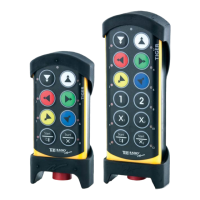
NOTE!Thetransmittermusthaveestablishedaradiosessionwithoneormorereceivers.
2.Presstheleftstartbutton.Keeppressed.
3.Pressthestopbutton.
4.Releasetheleftstartbutton.
ThetopLEDlightsred.
Thedisplayshows[Loggingout].
Thetransmitterturnsoffafterloggingout.
REPLACE
Youcanreplacearegisteredtransmitterwithanothertransmitterwithouthavingaccesstothe
receiver.
IMPORTANT!Ifthetransmitterthatneedstobereplacedisregisteredinmorethanonereceiver,
itwillonlybereplacedinonereceiveratatime.Ifyouwanttoreplaceatransmitterinmorethan
onereceiver,youneedtoperformareplacementforeachreceiver.
IMPORTANT!Donotperformthiswhenthereceiverisinasessionwithanothertransmitter.The
radiocommunicationmaybecomedisturbedorbroken.
NOTE!Ifthetransmitteralreadyhavereceiversregistered,werecommendthatyoueraseall
receiversfromthetransmitterbeforestartingthereplacement.Thereceiverwillautomaticallybe
storedinthesamepositionasitwasstoredintheoldtransmitter.Ifthispositionisnotavailable,
thereplacementwillnottakeplace.
Replace a transmitter with a new transmitter
1.Makesurethatthestopbuttonispressed.
2.Pulloutthestopbutton.
ThetopLEDlights(greenwhenthebatterycapacityisgood,redwhenthebatterycapacityis
poor).
3.Presstherightstartbutton.Keeppressed.
4.Pressthestopbutton.
5.Releasetherightstartbutton.
ThetopLEDflashes(greenwhenthebatterycapacityisgood,redwhenthebatterycapacityis
poor)wheninmenumode.
6.Goto[Replace].Selectbypressingtheleftstartbutton.
7.Entertheserialnumber/IDcodeforthetransmitterthatyouwanttoreplacebypressingthe
buttonsaccordingtothetablebelow:
- 12 -


 To Next Page
 Loading...