30 en | Installation TA74 User Manual
© TeleAlarm SA TA74_UM_EN_V2.5_2019.09_Final
5.3.7 Power connection
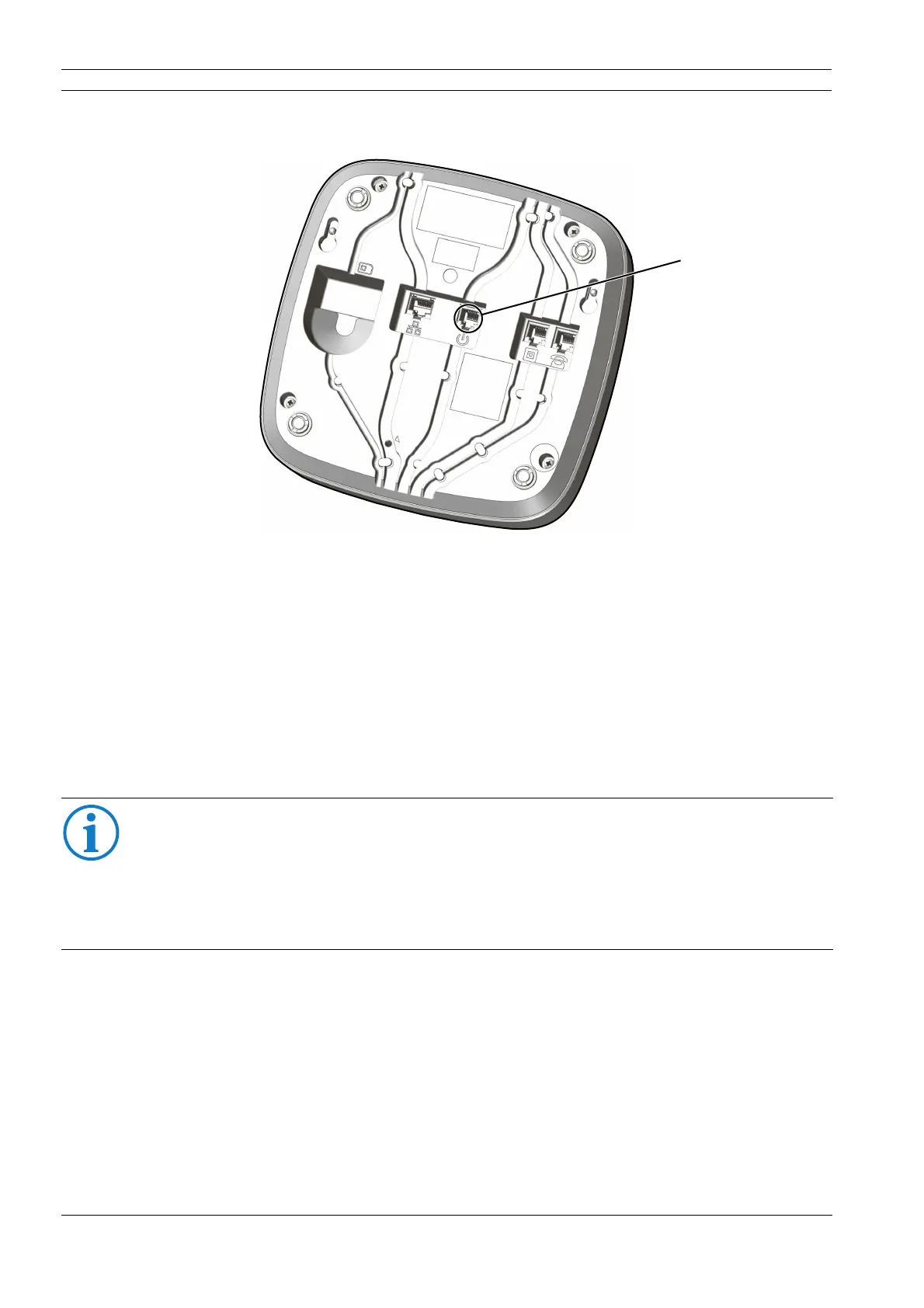
1. Insert the plug of the power adapter into the corresponding socket (6) on the TA74.
Feed the cable through the cable channel and through the opening on the back of
the device.
2. Plug the power adapter into the power outlet.
All indicator lamps will light up for approx. two seconds. (This is a battery test.) The device
switches to standby mode and can now be programmed. For more information, see the
Reference Manual.
5.3.8 Performing a test
Once the device is installed and programmed, perform a test immediately by triggering
an alarm with the wireless transmitter. See also section 8.6 "Test instructions".
INFO
The unit battery will charge up when the TA74 is connected to the main power supply.
The specified standby time is available when the battery is fully charged, after approx.
16 hours.
If the device is disconnected and stored, connect it to the main power supply at least once
every 6 months to allow the battery to charge.


 To Next Page