TA74 User Manual Programming | en 33
TA74_UM_EN_V2.5_2019.09_Final © TeleAlarm SA
6.3 Special button functions
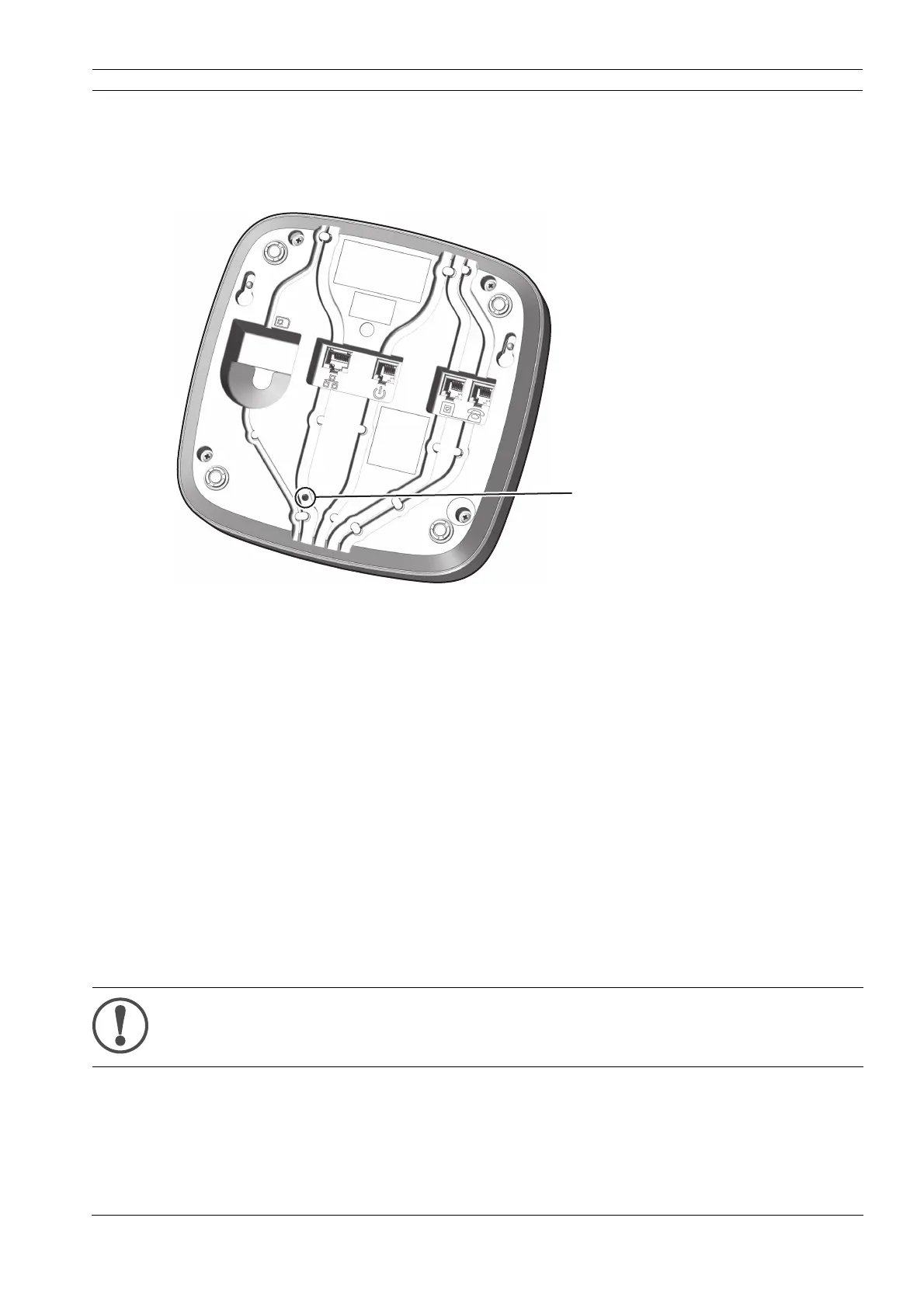
6.3.1 Maintenance button
To press the Maintenance button (1), use something long and thin, such as an unfolded
paper clip.
6.3.2 Resetting the TA74
1. Press the Maintenance button for 0.5 to 2 seconds and then release it.
2. The device beeps and reboots.
6.3.3 Restoring the TA74 to default settings
1. Press the Maintenance button for at least 20 seconds.
2. The device announces <Setup reset>.
The device is now non-operational; it has to be reprogrammed via the Configuration
Manager or the platform TeleAlarm
®
Cloud Services. Please refer to the Reference Manual
for more information on programming.
NOTE
This function deletes all user settings and restores the default settings.


 To Next Page