Contents
1. GENERAL INFORMATION ...........................................................................................................3
1.1 Safety precautions ...............................................................................................................3
1.2 Intended use .......................................................................................................................3
1.3 Unintended uses .................................................................................................................4
2. GLOSSARY ..................................................................................................................................4
3. SPECIFICATIONS ........................................................................................................................5
3.1 Technical Specications .......................................................................................................5
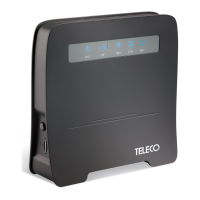
4. DESCRIPTION OF WFT400 .........................................................................................................6
5. OPERATING MODES ...................................................................................................................7
6. SWITCHING ON THE WFT400 ....................................................................................................8
6.1 Conguration ........................................................................................................................8
6.2 Connecting to the WiFi network ...........................................................................................8
6.3 Internet access via the WAN port.........................................................................................8
7. TROUBLESHOOTING ..................................................................................................................9
7.1 Restoring the default factory conguration ..........................................................................9
7.2 How to connect via the WPS function (WiFi Protected Mode) ............................................. 9
7.3 The router does not work after conguration .......................................................................9
7.4 The internet connection indicator is ON but the WiFi LED is OFF ....................................... 9
7.5 I cannot access the graphical interface ................................................................................9
8. Care and maintenance ................................................................................................................ 9
9. CERTIFICATIONS ......................................................................................................................10
- 2 - Rev.001
EN
WFT400
Translation of the original instructions


 To Next Page